
Chucao
Oral Reading Fluency Assessment for Schools
- Role
- Product design and development
- Studio
- Shape Creative Studio ↗
- Platforms
- Tablet app · Teacher web dashboard
- Users
- Students aged 5 to 8 and their teachers
- Status
- Working MVP · in validation
01
Context
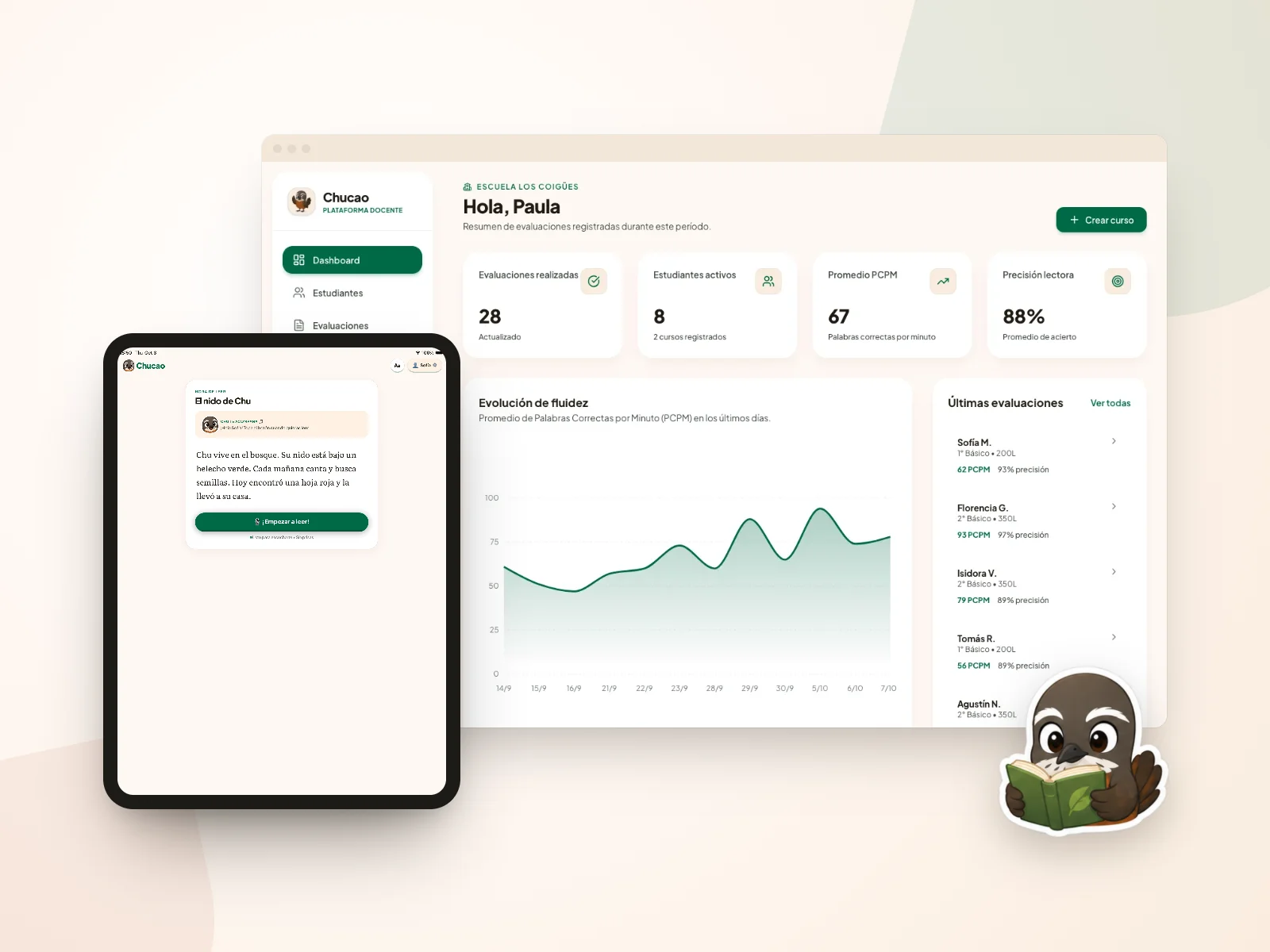
Chucao (formerly LectorIA) is a B2B platform for schools that assesses oral reading fluency. Children read stories on a tablet alongside Chu, a Chilean chucao bird, while AI measures speed, accuracy and word-by-word errors right on the device. Teachers review the results in a web dashboard. I designed and built it through Shape Creative Studio, my studio.
02
The challenge
Measuring reading fluency today takes a teacher with a printed text and a stopwatch, one child at a time. It is slow, it depends on who assesses, and reading in front of an adult who is timing you makes children anxious. The challenge was to automate the measurement without losing pedagogical rigor, make it feel like a game rather than a test, and protect minors' voices under Chile's new data protection law (Ley 21.719).
The tablet experience
A full reading, start to finish, through the student's eyes.
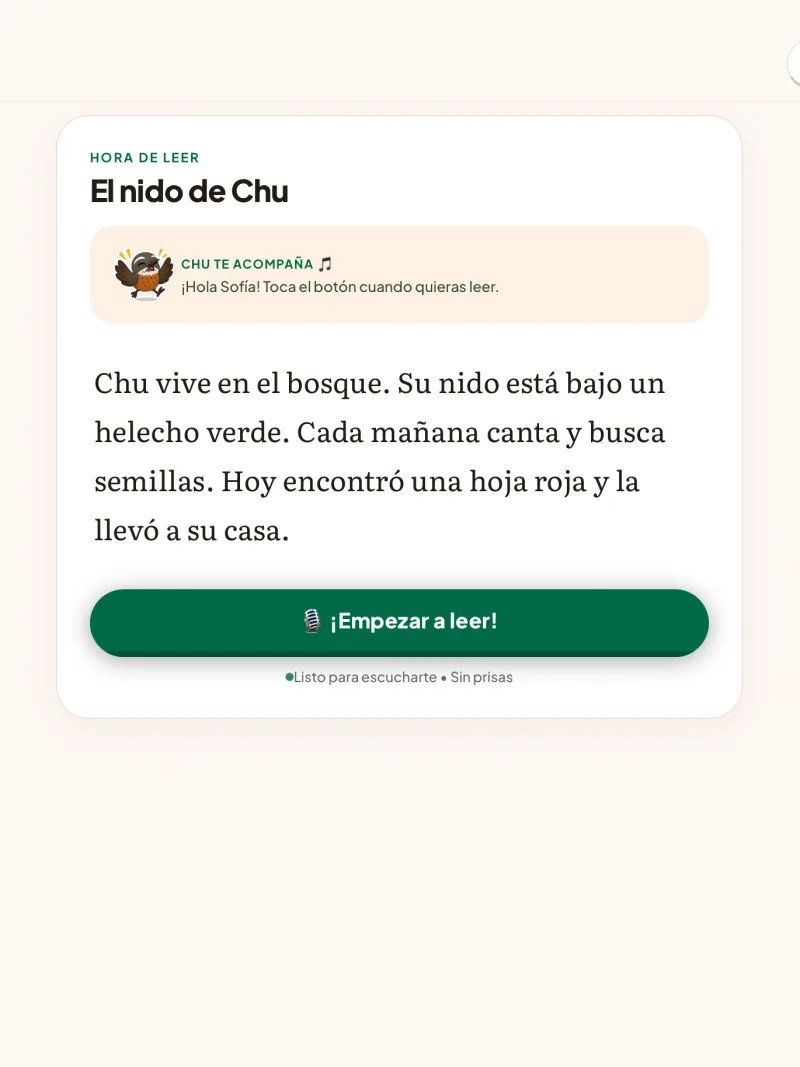
Time to read
Chu greets the child by name and the story appears in large Literata, with a single button to start.
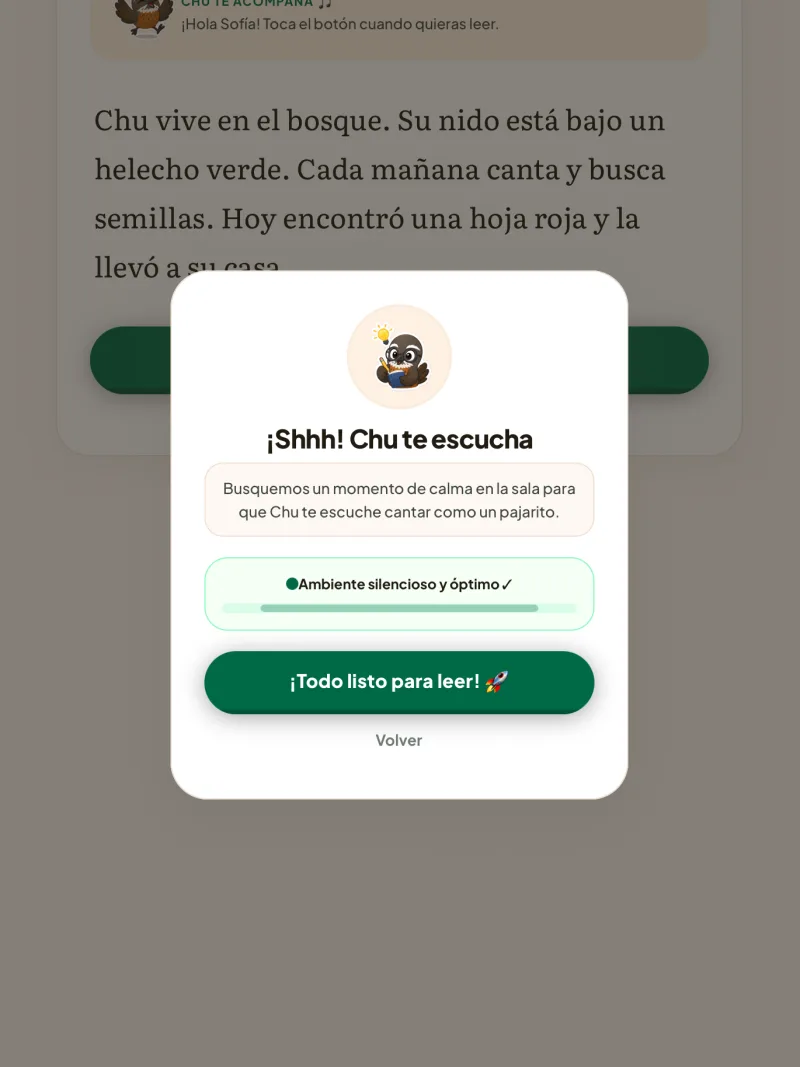
A moment of calm
Before recording, a pause invites the class to find some quiet: "Shhh! Chu is listening".
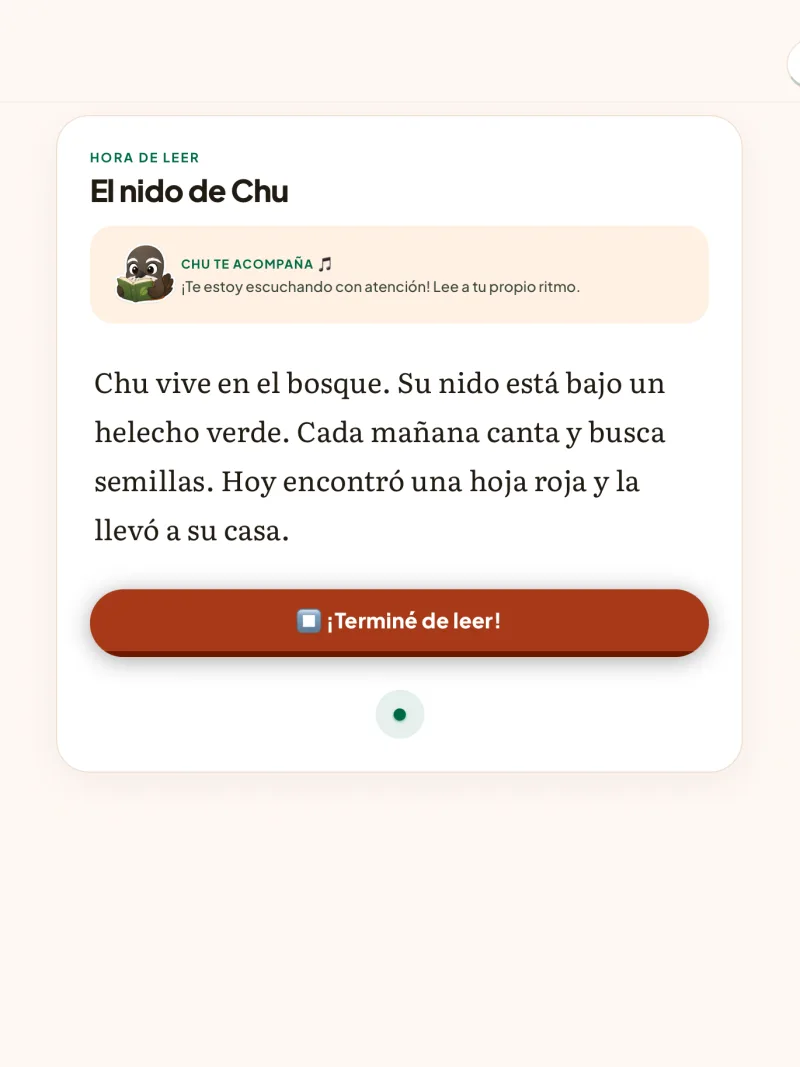
Reading at their own pace
While the child reads, Chu listens. There is no visible timer, just a button to say they are done.
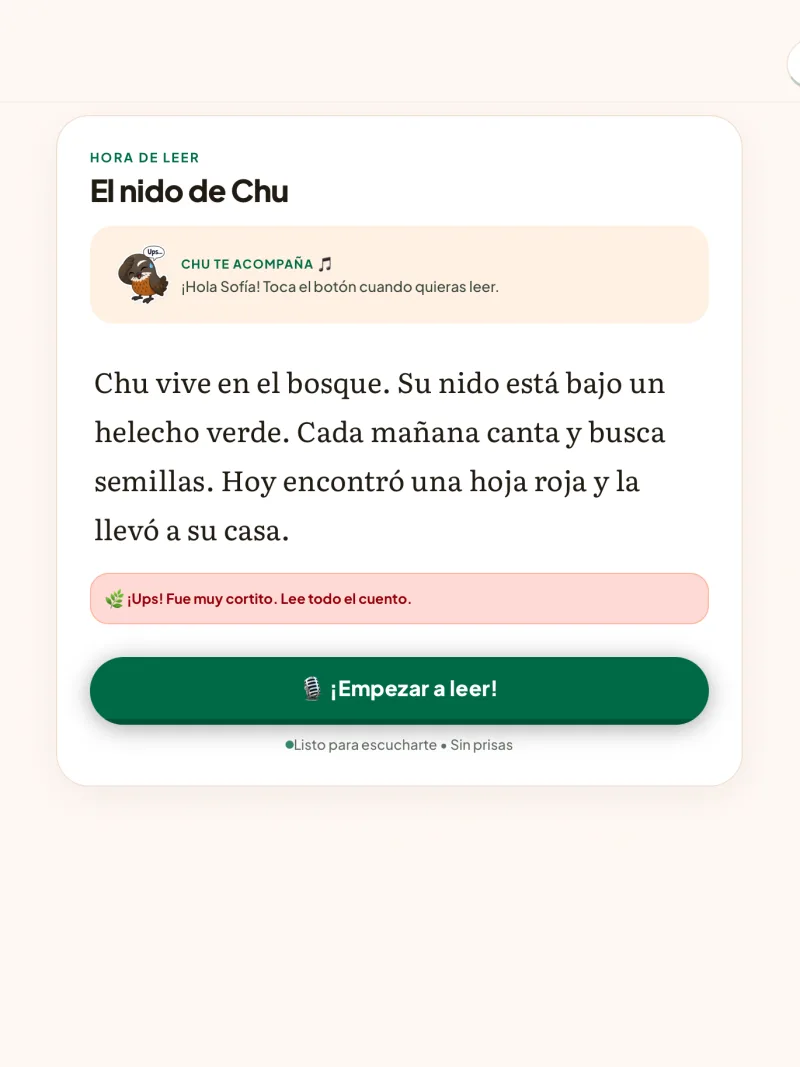
Notices without punishment
If the reading was too short, Chu says so with humor and no error sounds, and the child can try again.
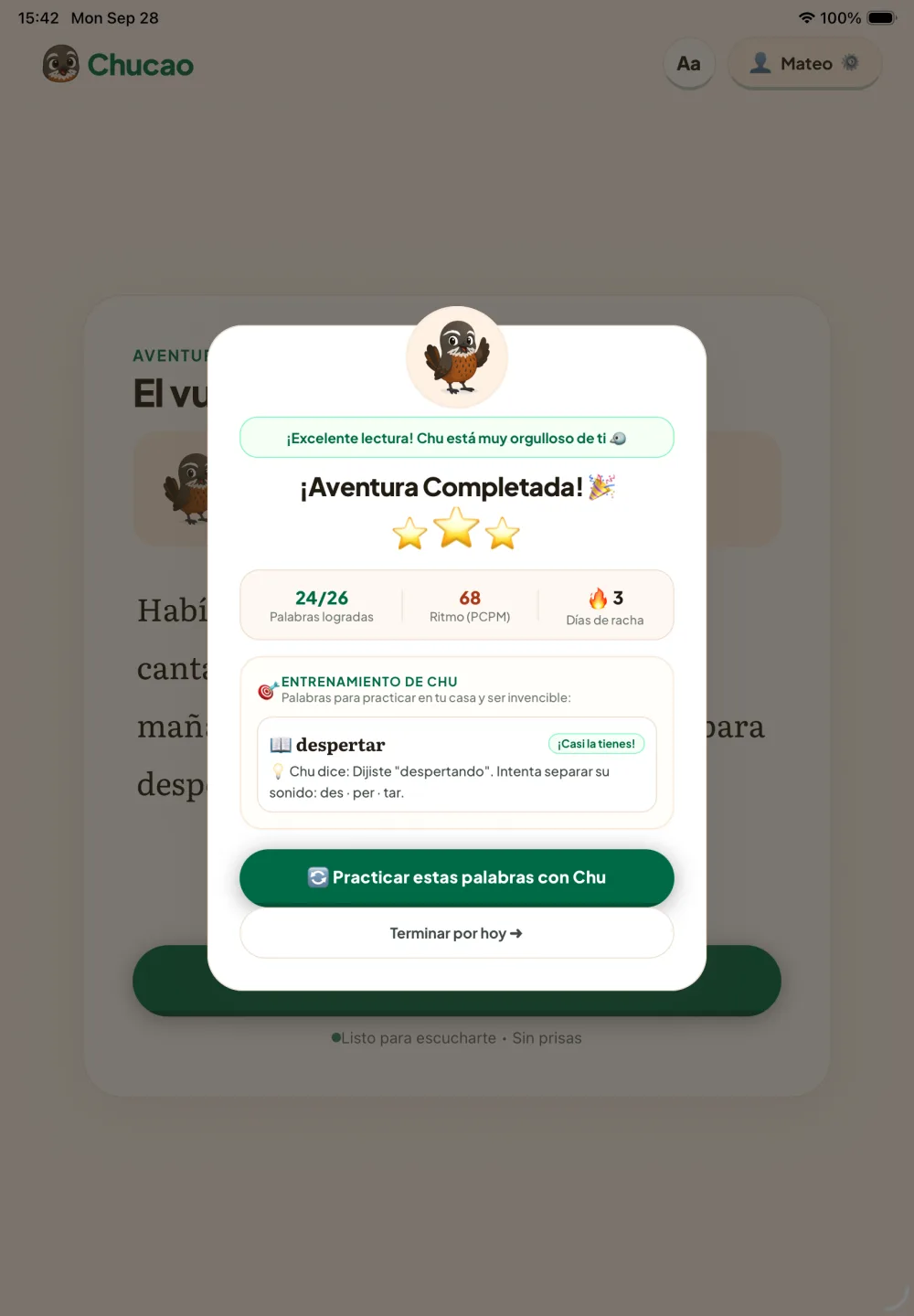
Adventure completed
When it ends: stars, words achieved and a day streak. Hard words become practice with a concrete hint.
Teacher platform
The web panel where teachers follow their class's progress and review every reading. Fictional demo data.
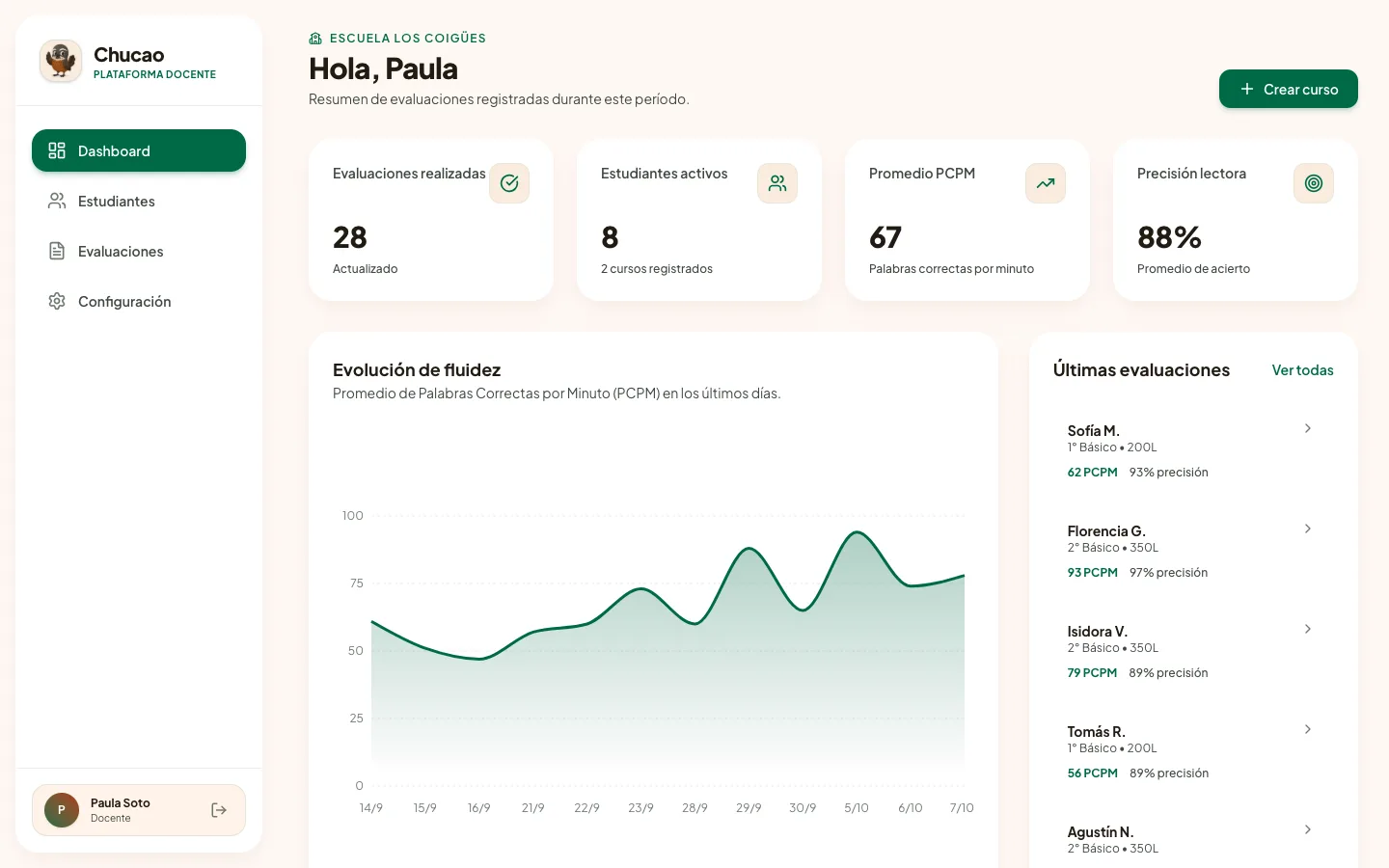
Dashboard
Assessments completed, active students, average WCPM and class accuracy, with fluency progress over time.
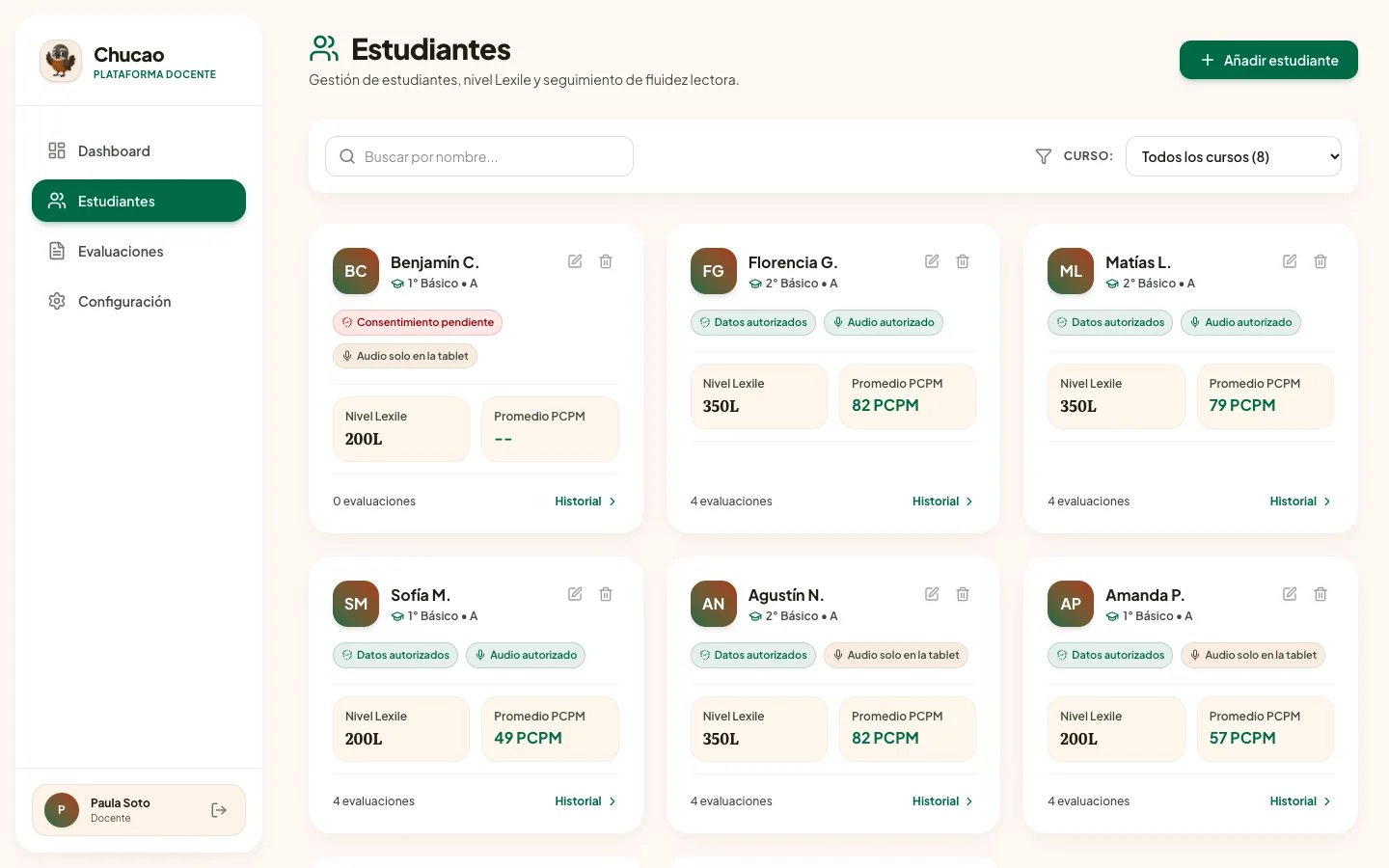
Students
Each student with their level, average WCPM and the status of their permissions: data, cloud audio or audio kept on the tablet.
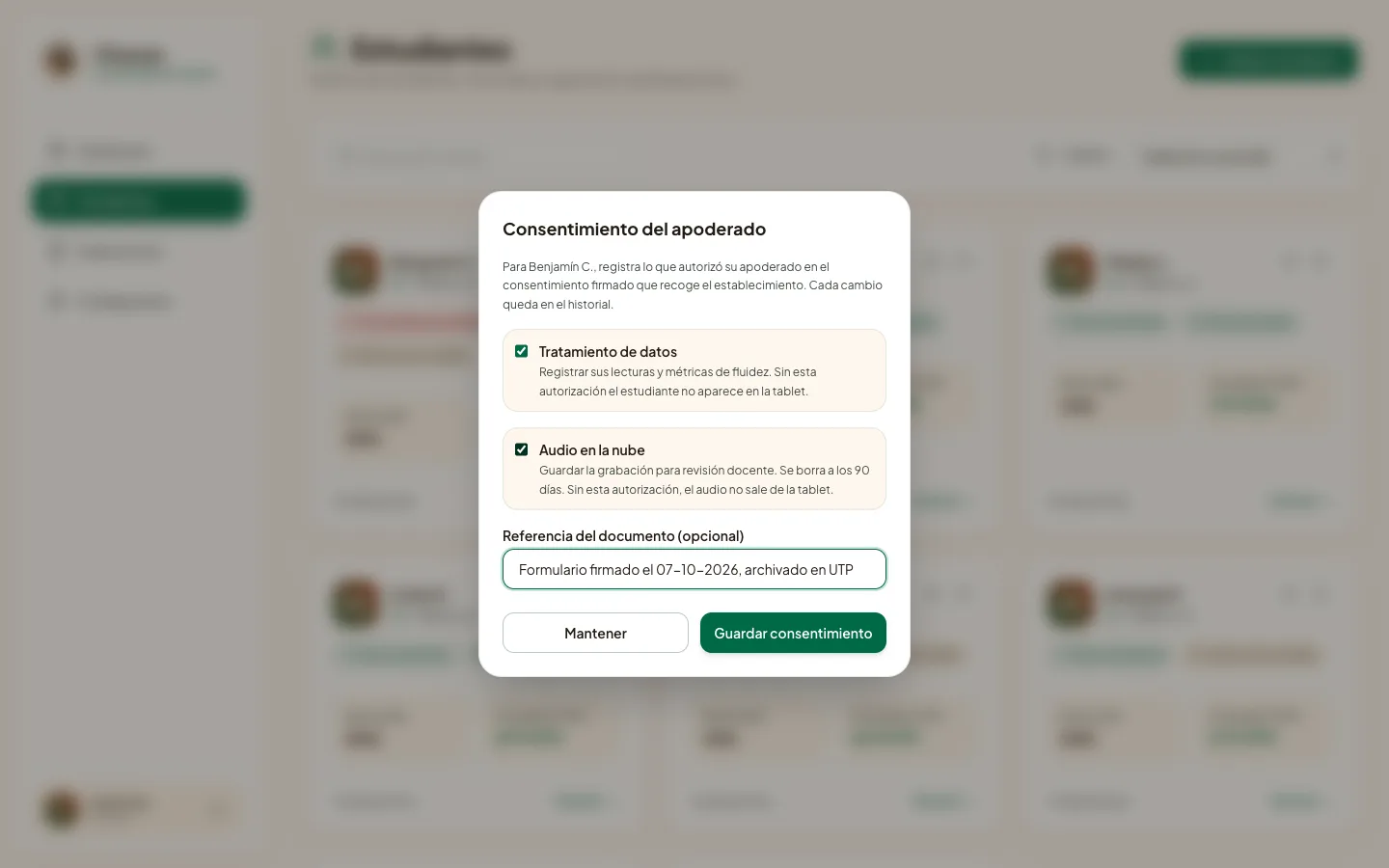
Parental consent
The teacher records data processing consent and cloud audio consent separately, referencing the signed document.
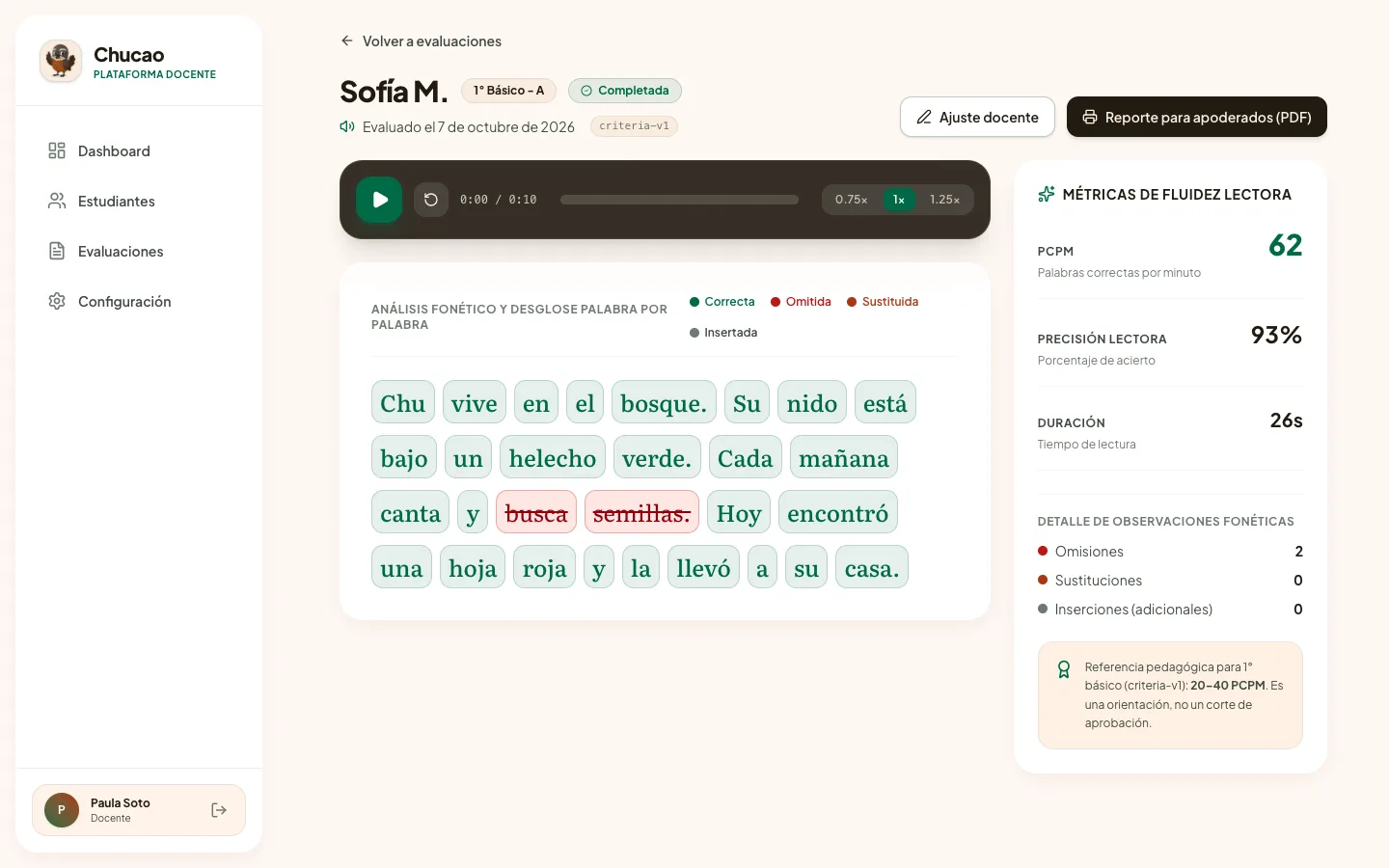
Assessment detail
Every word classified as correct, omitted, substituted or inserted, the audio at different speeds and the grade's pedagogical benchmark.
My approach
Two users, two experiences
The product has two sides with opposite needs:
- Student: tablet, one task per screen, large text and no signs of being assessed.
- Teacher: a high-density dashboard to review assessments in batches, listen to the audio and export reports.
- School leadership: aggregated indicators by class and school for improvement plans.
Chu, the heart of the experience
I replaced the first version's generic owl with Chu, a chucao, a bird from the Chilean forest. Chu has 10 emotional states (greets, thinks, listens, celebrates, encourages after a mistake) inspired by Duolingo's positive reinforcement. There are no error sounds or visible timers: time is measured, but the child never sees it.
Chucao Design System
A warm language inspired by the Chilean forest: forest green for action, the terracotta of the chucao's breast as accent and cream anti-glare surfaces for fatigue-free reading. Literata for reading and Plus Jakarta Sans for the interface.
Color Tokens
Primary, secondary, and neutral system tokens built for contrast and consistency.
Brand color. Primary buttons, correct words and success states
Brand accent taken from the chucao's breast. Highlights and metrics
Accent containers and celebrations. Decorative only: never used for text
Warm anti-glare background for long reading sessions
Cards, reading sheets and dashboard panels
Main text and stories (16.2:1 on cream)
Instructions, metadata and labels
Progress and positive states on dark backgrounds
System errors in the dashboard. Never shown to the child
Typography Scale
Primary Typeface: Literata (reading) & Plus Jakarta Sans (interface) (Tablet app and web dashboard)
UI Component States
Interactive primitives sharing token geometry, borders, and typographic rules.
Buttons
Form Inputs
The solution
A dual platform with the AI running inside the tablet:
- Edge AI: Whisper (whisper.rn) transcribes speech on the tablet itself with a ~31 MB quantized model; after the first download it works offline.
- Word-by-word analysis: each word is classified as correct, omitted, substituted or inserted, and the app computes reading speed (WCPM) and the Ministry of Education level.
- Teacher dashboard: batch review, a player that syncs the audio with the word breakdown at 0.75x, 1x or 1.25x, and PDF reports for parents.
- Offline-first: assessments are stored on the tablet and synced when the connection returns, built for classrooms with unreliable internet.
Privacy by design
Consent first
Without parental consent recorded by the teacher, the student does not appear on the tablet and the server rejects their assessments.
The voice stays on the tablet
Transcription happens on the device. Audio is only uploaded with explicit consent and is deleted automatically after 90 days.
Minimal data
Only the initial of the student's last name is stored. Each school is isolated from the others at the database level.
Documented legal framework
Impact assessment (DPIA), privacy policy, consent form and processing agreement under Ley 21.719: the school is the controller and Chucao the processor.
Status and next steps
Speech transcription inside the tablet
AI model that works offline
Automatic deletion of backed-up audio
Chucao is a working MVP. The next step is validating it against human assessors with an agreement protocol defined before any data is collected: 20 readings per grade from 1st to 3rd, comparing speed, accuracy and word-by-word errors.
Similar challenge?
Have complex software that needs clarity?
Let's talk directly—I'll tell you what makes sense to tackle first.