
JourneyLaw
Humanized Legal Management Platform
01
Executive Summary
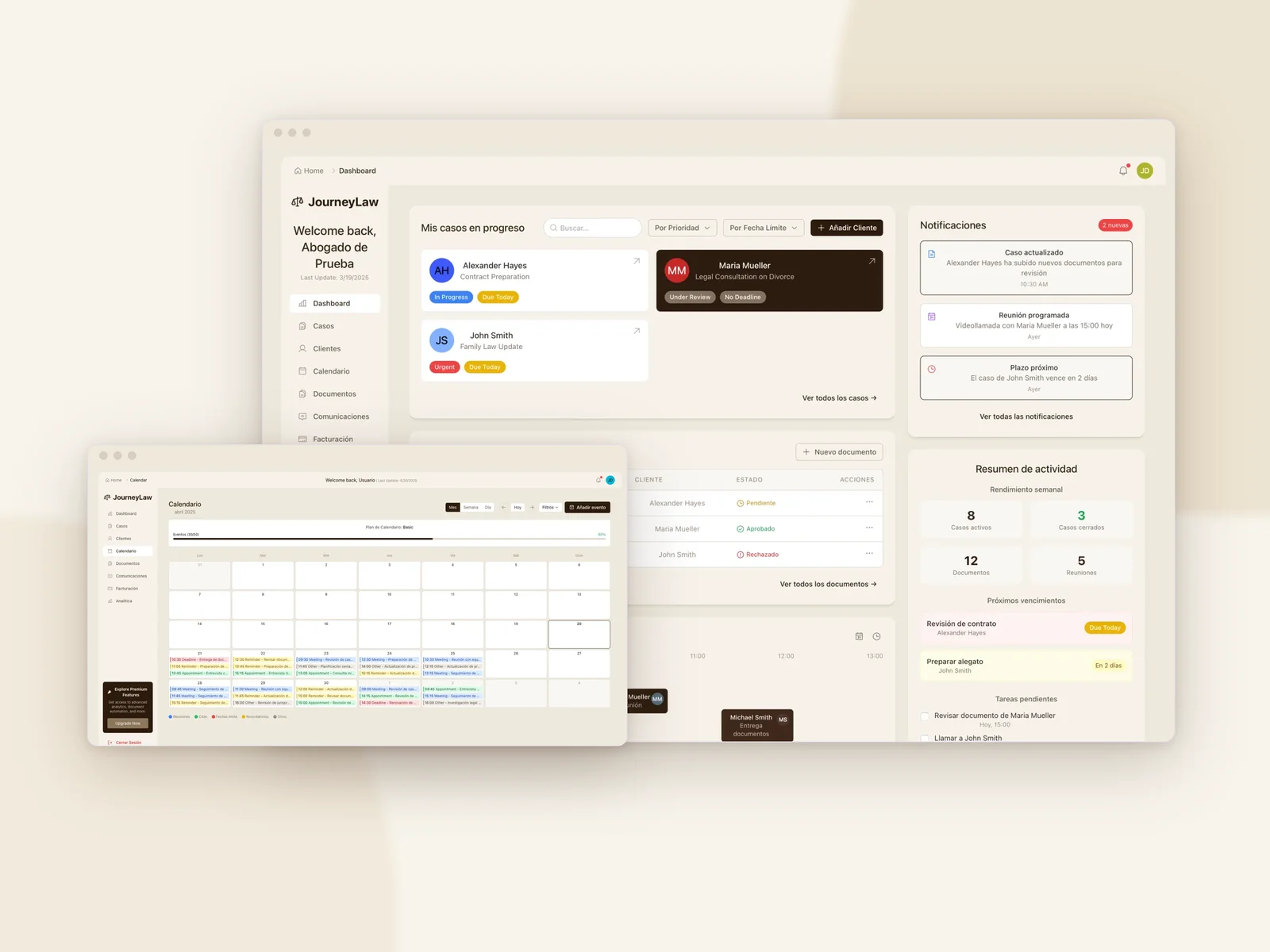
JourneyLaw is a SaaS legal management platform designed to modernize and simplify the administration of legal cases. As the lead UX/UI Designer and front-end developer with over 15 years of experience, I led the digital transformation of this platform that revolutionizes how legal professionals manage their cases. The project showcases my ability to create intuitive digital experiences that solve complex challenges in the legal sector, implementing a scalable multi-tenant system with a modern, accessible interface that truly connects with users.
02
The Challenge
Legal professionals were struggling with outdated tools that created daily frustrations: unnecessarily complex interfaces that wasted valuable time, fragmented workflows scattered across multiple applications, repetitive tasks that could—but weren't—being automated, limited scalability that hindered growth and client management, and inconsistent experiences across devices that disrupted productivity.
Design System
The design system implements a "Warm Professionalism" philosophy that conveys trust and sophistication while maintaining warmth and accessibility.
Color Tokens
Primary, secondary, and neutral system tokens built for contrast and consistency.
Primary color for headers, important text, and brand representation
Secondary color for backgrounds, cards, and containers
Headings and primary text
Body text and secondary info
App backgrounds
Card surfaces
Typography Scale
Primary Typeface: Inter (Headings & Body Text)
UI Component States
Interactive primitives sharing token geometry, borders, and typographic rules.
Buttons
Form Inputs
Value Proposition
We developed a comprehensive solution with these key elements:
- User-centered experience: Intuitive interface that minimizes the learning curve
- Optimized workflows: Automation of repetitive processes for lawyers
- Adaptive design: Works perfectly on desktop and mobile devices
- Multi-tenant model: Secure data separation between different law firms
- AI integration: Automatic document analysis and intelligent recommendations
Design Process
Discovery & Research
I began with an intensive research phase to build genuine understanding: conducting user interviews to uncover key requirements like centralized case management, document automation, and AI-powered predictions, identifying differentiation opportunities through a simplified interface, AI integration, and mobile-first approach, and establishing clear KPIs to measure success.
Information Architecture
I completely redesigned the application structure to match users' mental models: developing an intuitive organization system that reflects how attorneys actually think about their cases and reducing the steps needed for common tasks, eliminating friction points.
Design System
I developed a modular design system that balanced consistency with flexibility, implementing a 'Warm Professionalism' philosophy with a carefully crafted color palette, typography system, and modular components.
User Testing
Multiple rounds of testing with 8 attorneys from different specialties ensured we were truly meeting user needs, with A/B testing to validate different approaches and data-driven iterations based on task success rates, average time per task, and System Usability Scale scores.
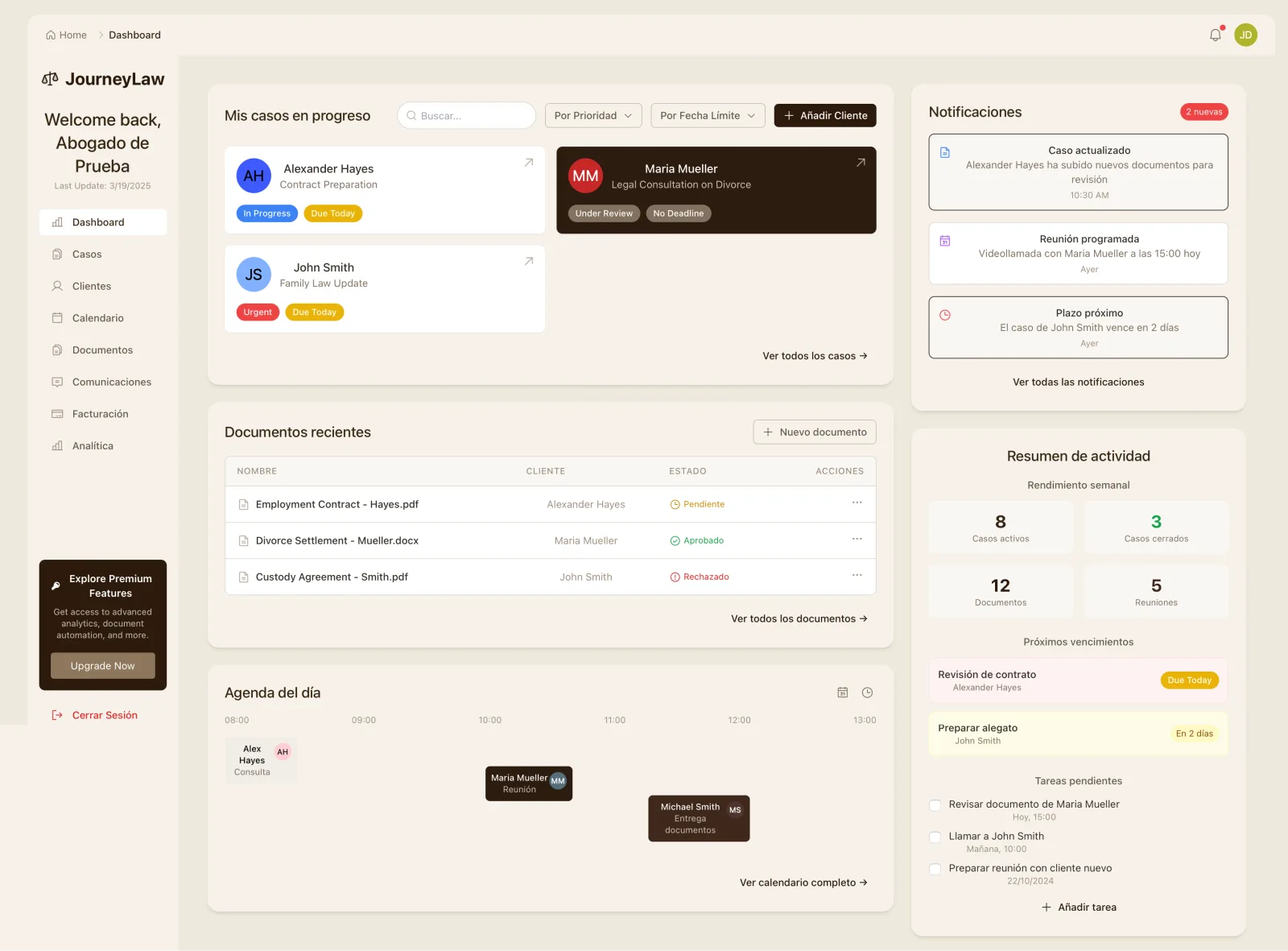
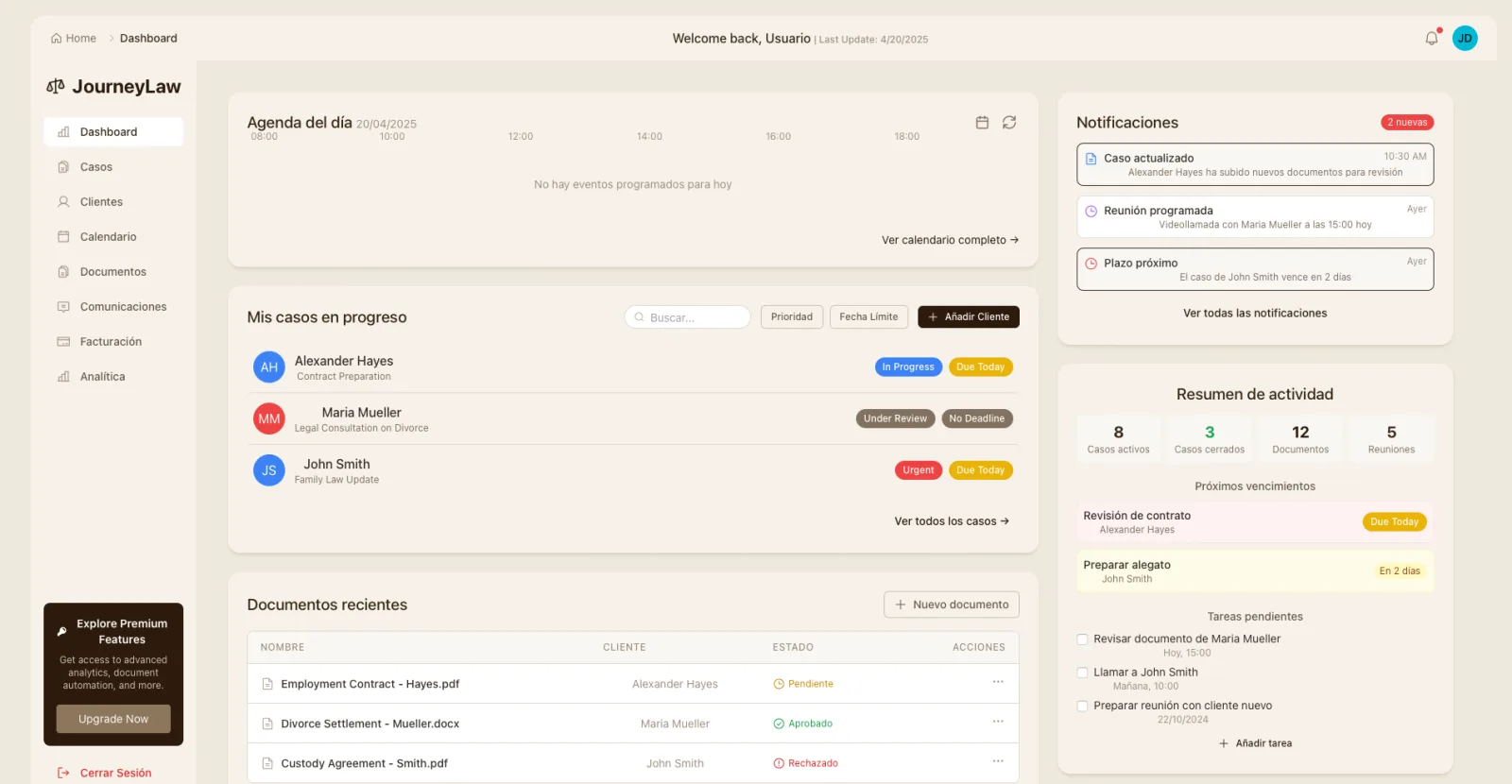
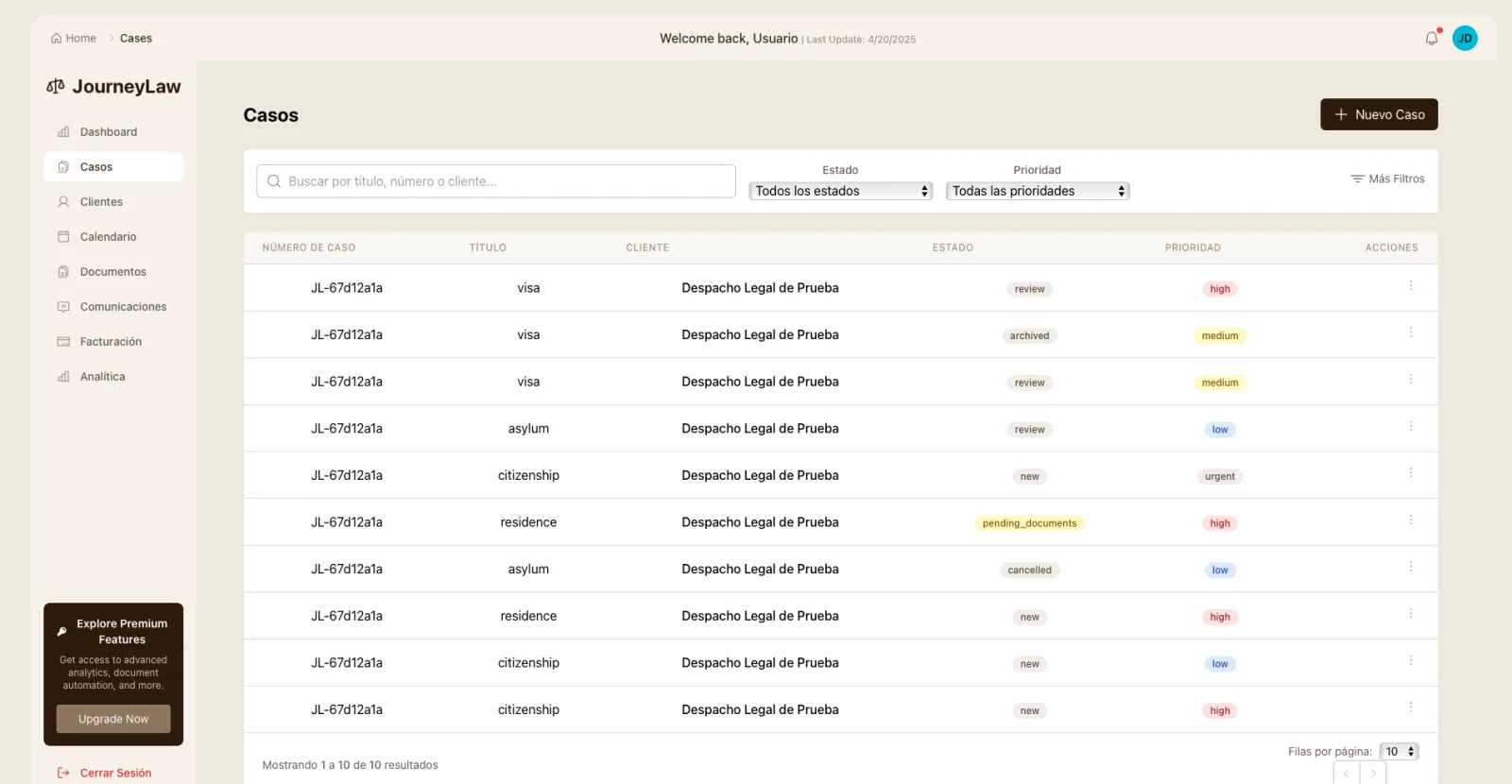
Interactive Prototype & UI Screens
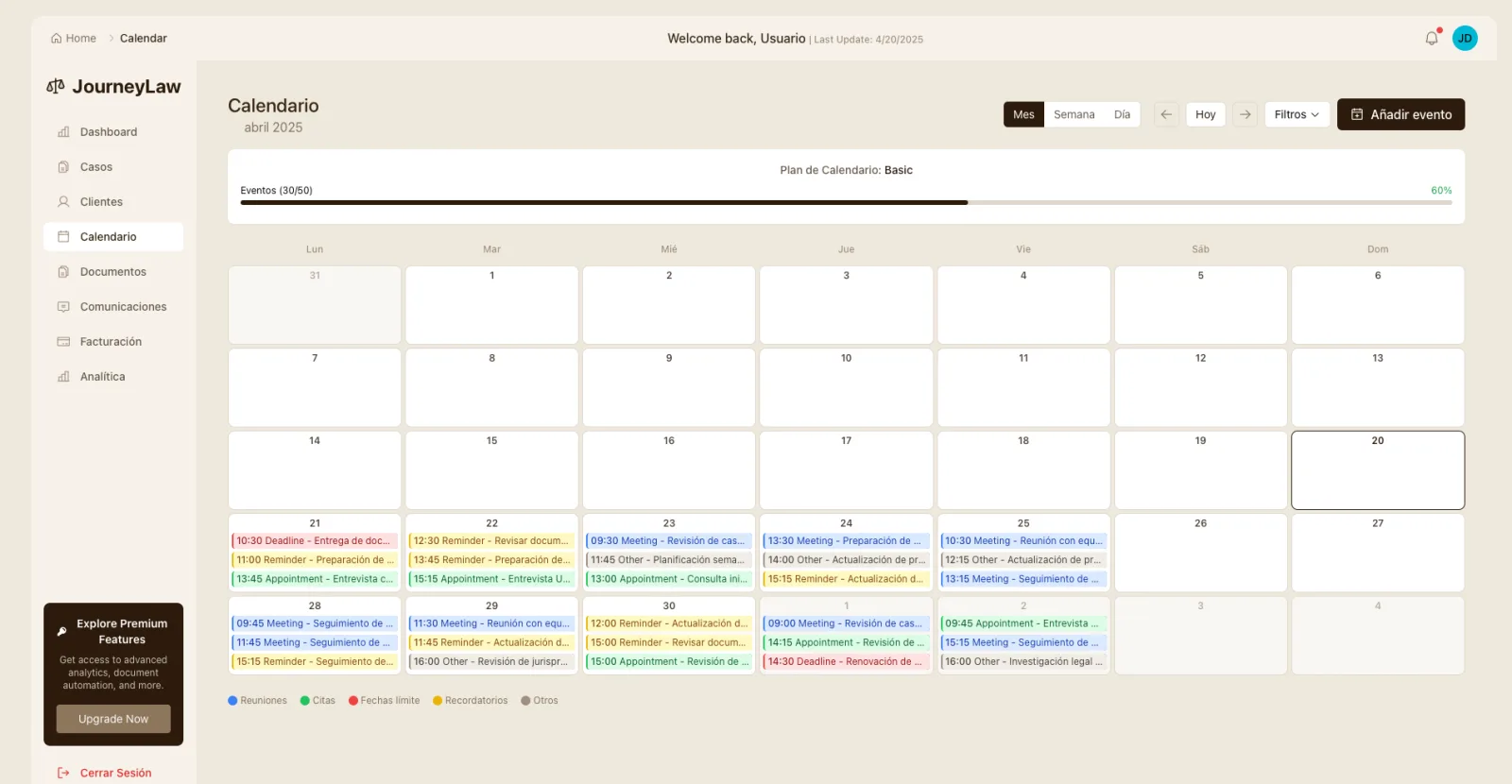
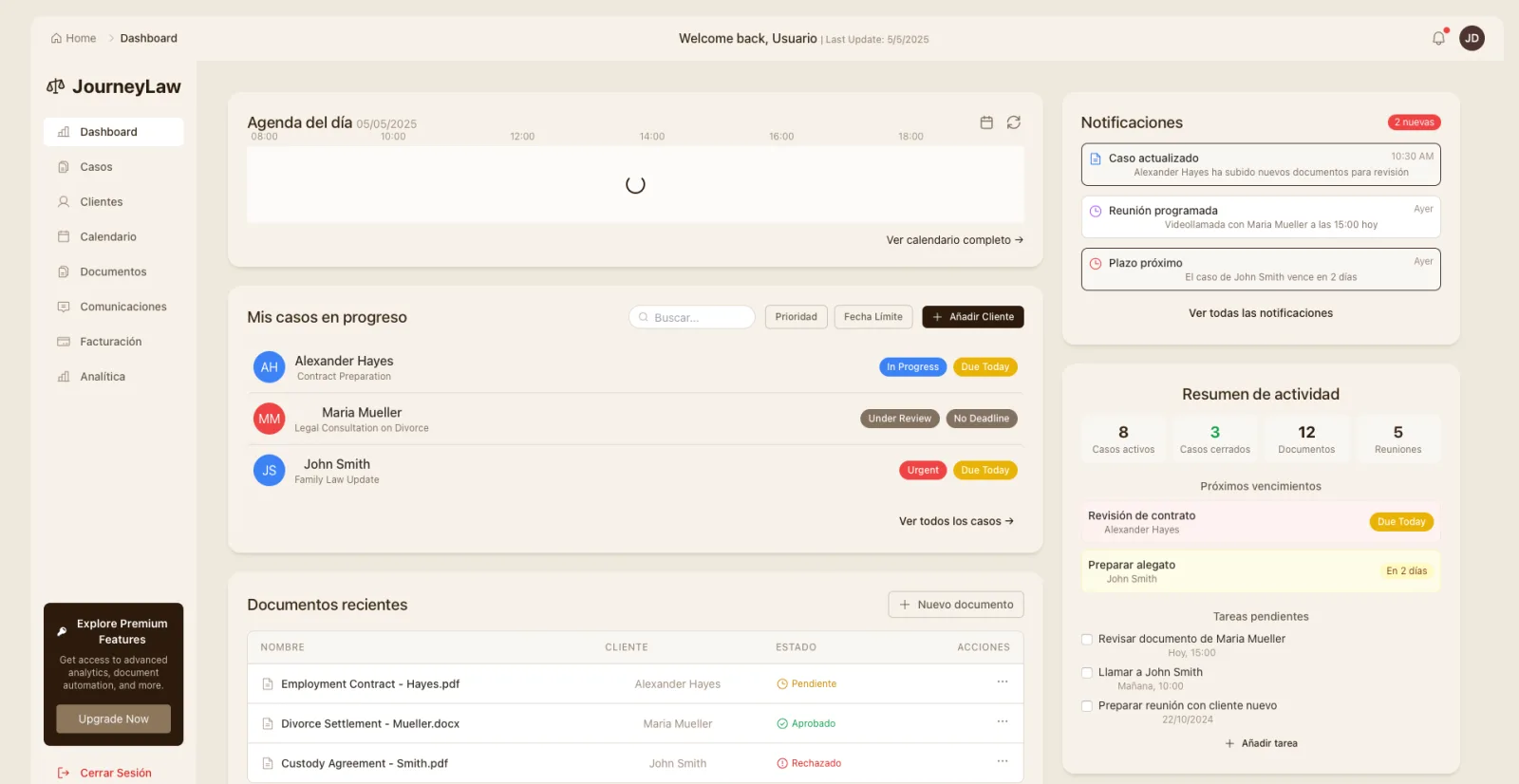
Explore key flows and high-fidelity screens from the product architecture.
Results & Impact
Increase in client retention
Reduction in administrative work
Faster document preparation
Increase in billable hours captured
JourneyLaw demonstrates my ability to transform a complex domain into an intuitive, valuable digital experience. The project represents a perfect balance between user-centered design, robust technical implementation, and effective business strategy. As the lead UX/UI Designer and front-end developer on this project, I applied my years of experience to create a product that not only looks and works exceptionally well but generates real, measurable impact on legal professionals' daily work.
Similar challenge?
Have complex software that needs clarity?
Let's talk directly—I'll tell you what makes sense to tackle first.