
Corporate Tax Portal
UX/UI Redesign and Design System
01
Project Overview
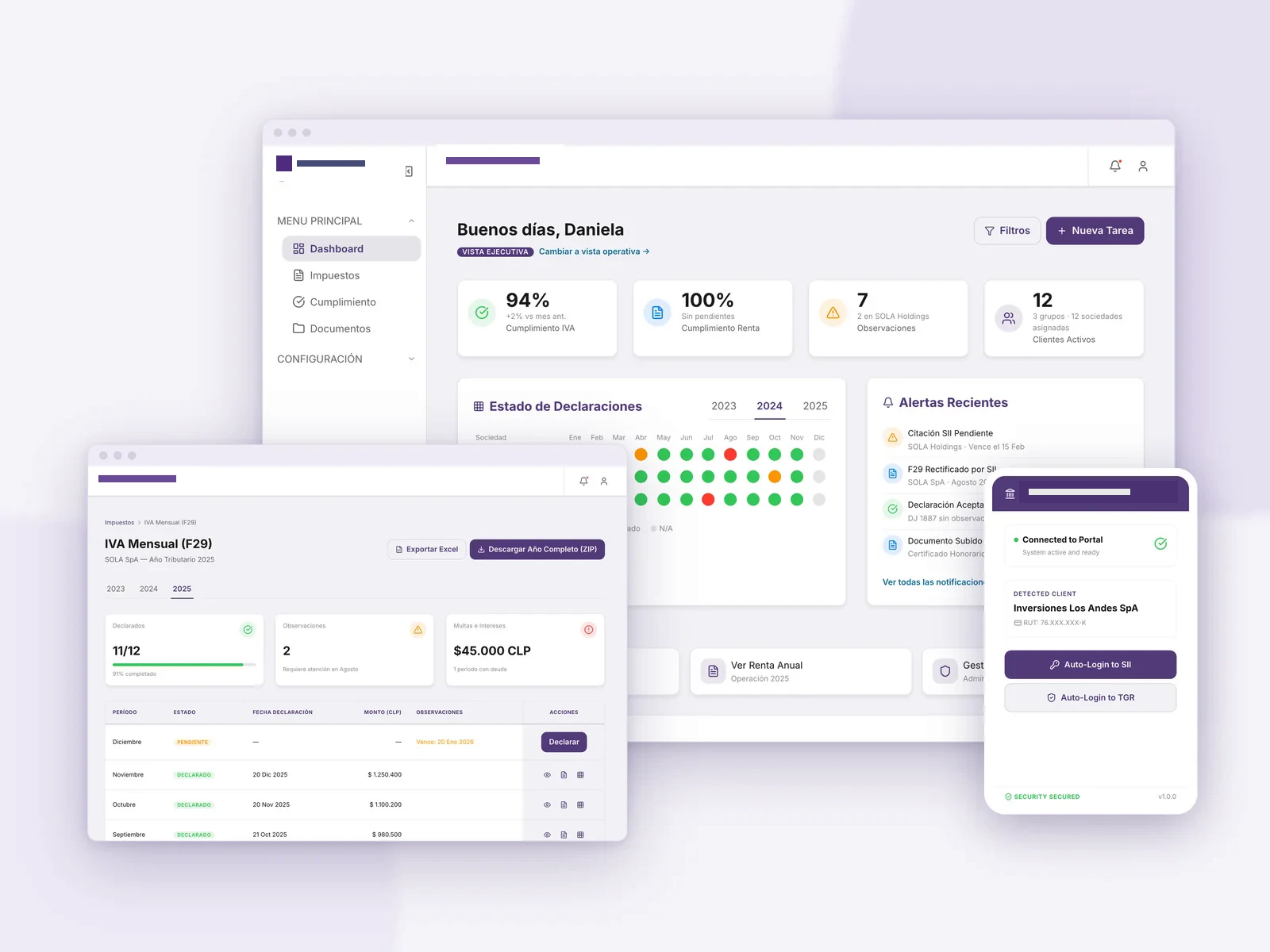
A multinational tax and advisory firm in Chile required a unified and modernized ecosystem for its internal tax compliance tools, consolidated into a single secure portal named Corporate Tax Portal. As Lead UX/UI Designer, the challenge was to design a robust corporate design system in React, TypeScript, and CSS Modules, fully documented in Storybook, serving as a consistent foundation across three independent repositories (tax-portal-frontend, tax-portal-backend, and celery-k8s).
02
The Challenge
The platform processes heavy financial data density: complex tax grids (annual F22, monthly F29, additional F50), real-time scraping bot monitors, and company group assignments. The primary UX hurdle was to present dense tax details cleanly and accessibly following Apple's HIG (Human Interface Guidelines). Furthermore, the portal required a strict role-based access control system (RBAC) and alternative flat styling configurations for exporting reports to PDF (via WeasyPrint) and emails (Mailing) without modern CSS support.
Manager view
The executive layer: compliance across every company in the portfolio, the team's alerts and who has access to what. Fictional demo data.
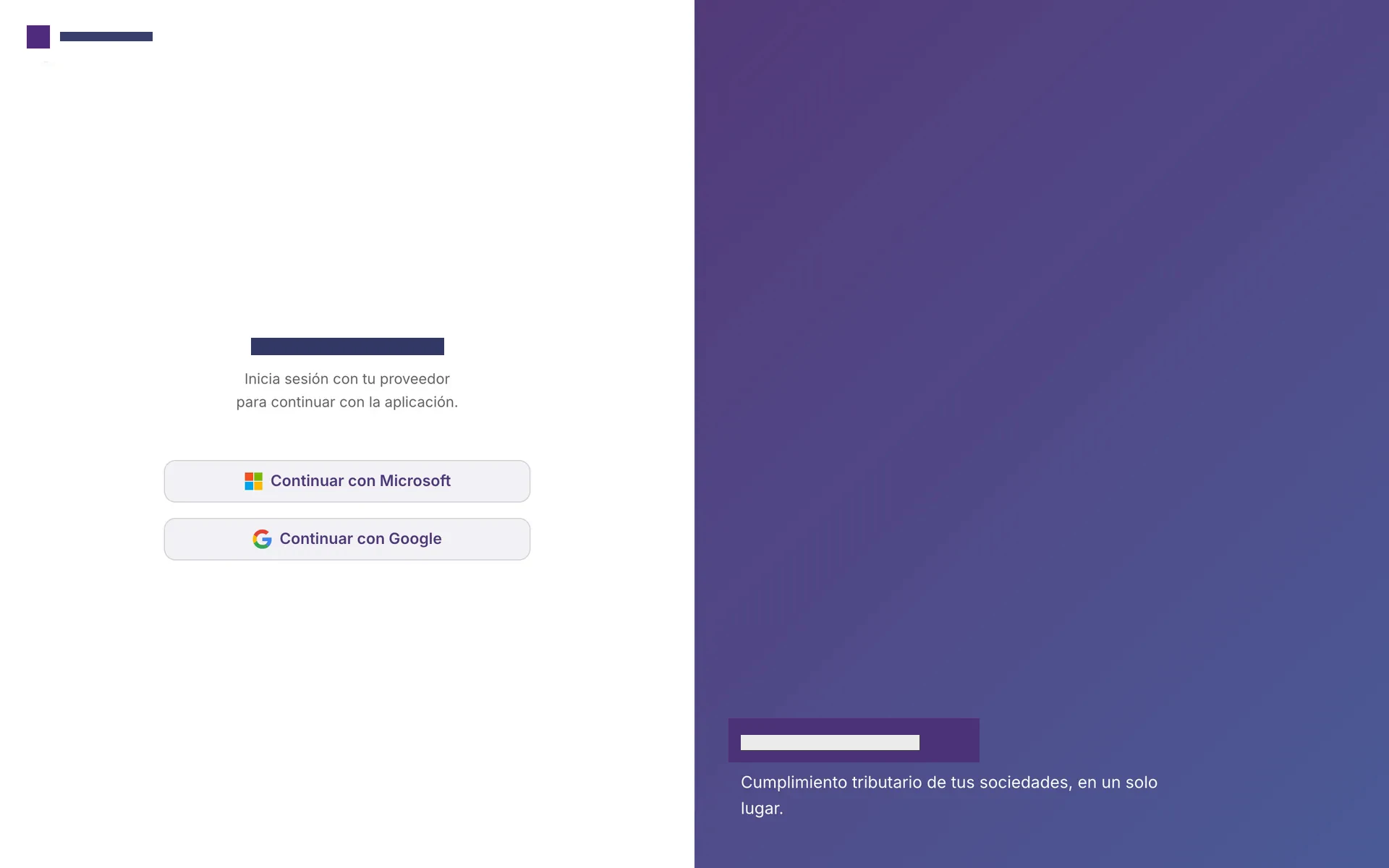
Single sign-on
Access through Enterprise SSO with Microsoft or Google: no new passwords for the team to manage.
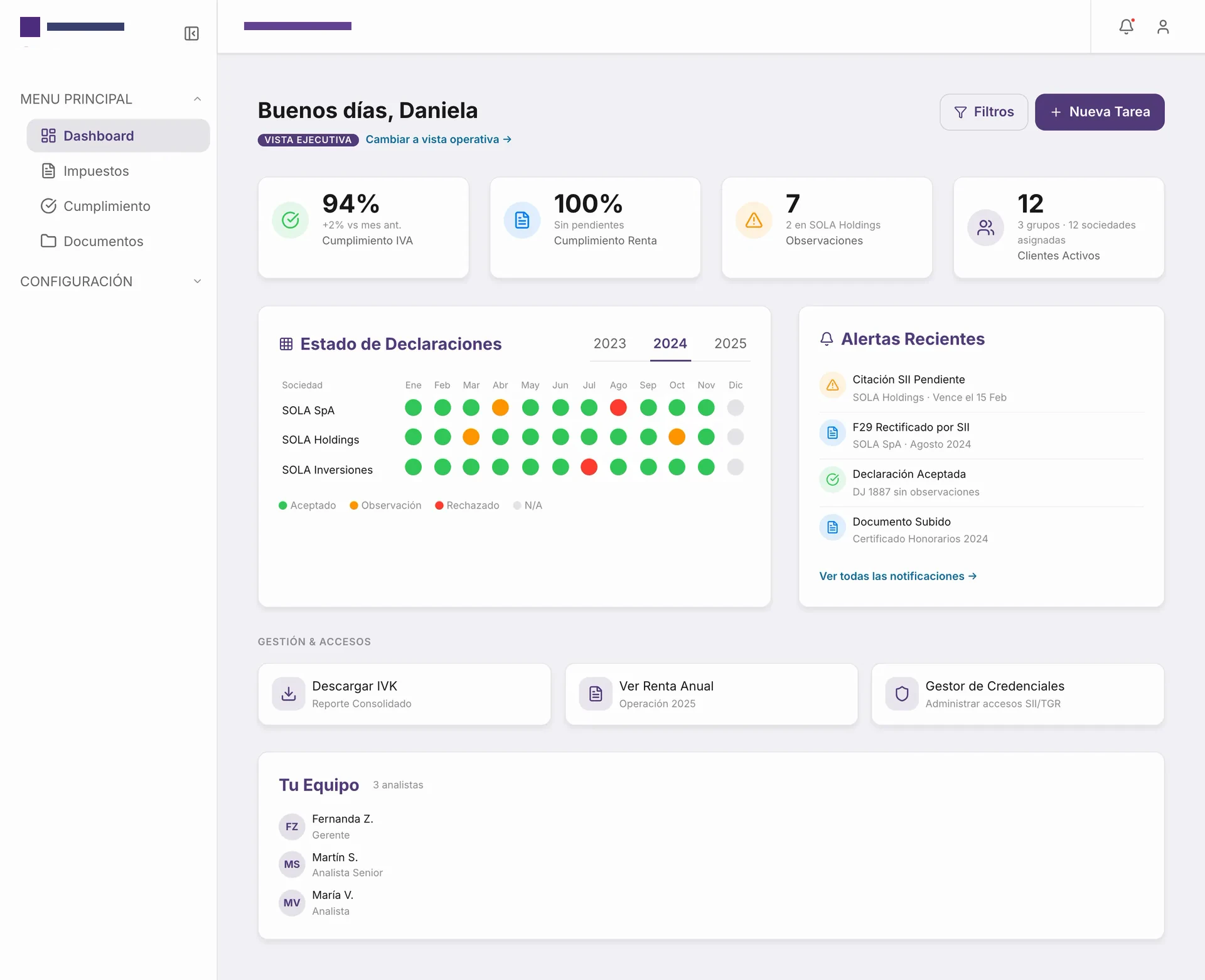
Executive dashboard
VAT and income tax compliance, open observations and active clients at a glance, with a month-by-month filing heatmap per company.
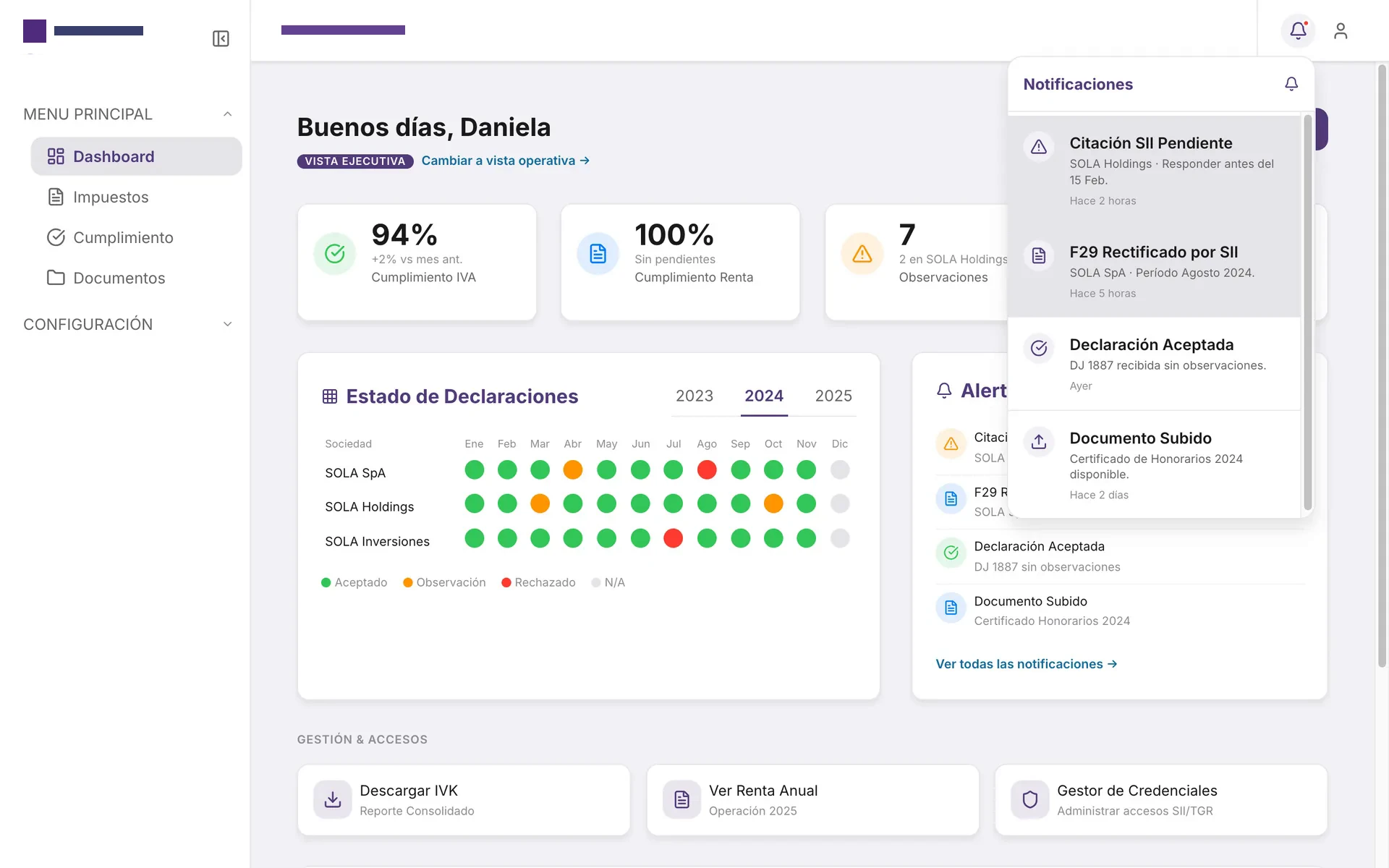
Notification center
SII citations, rectifications and accepted filings arrive in one panel, ordered by urgency.
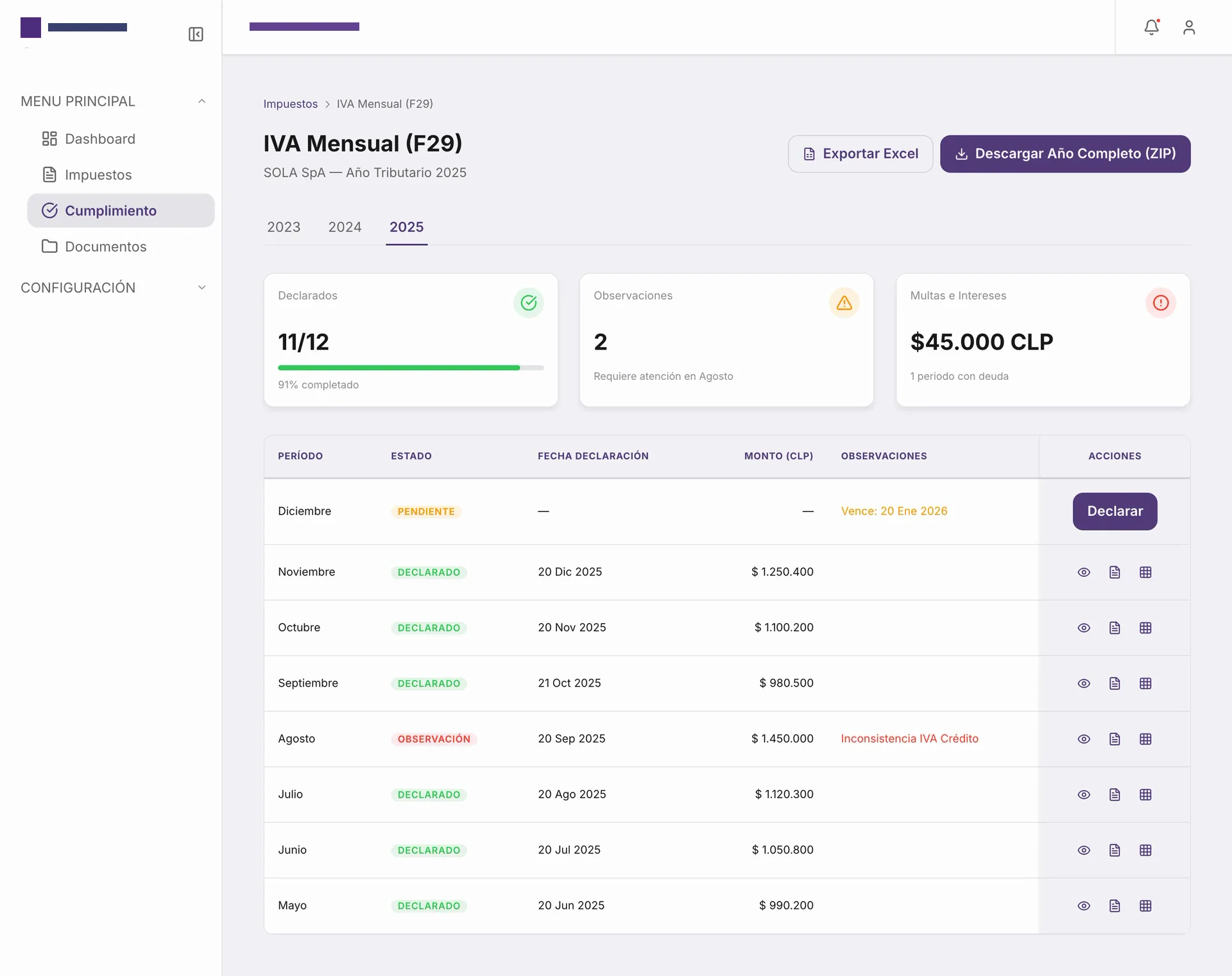
Monthly VAT compliance
The F29 tax year in one table: what was filed, what has observations and what is still pending, with fines and interest highlighted.
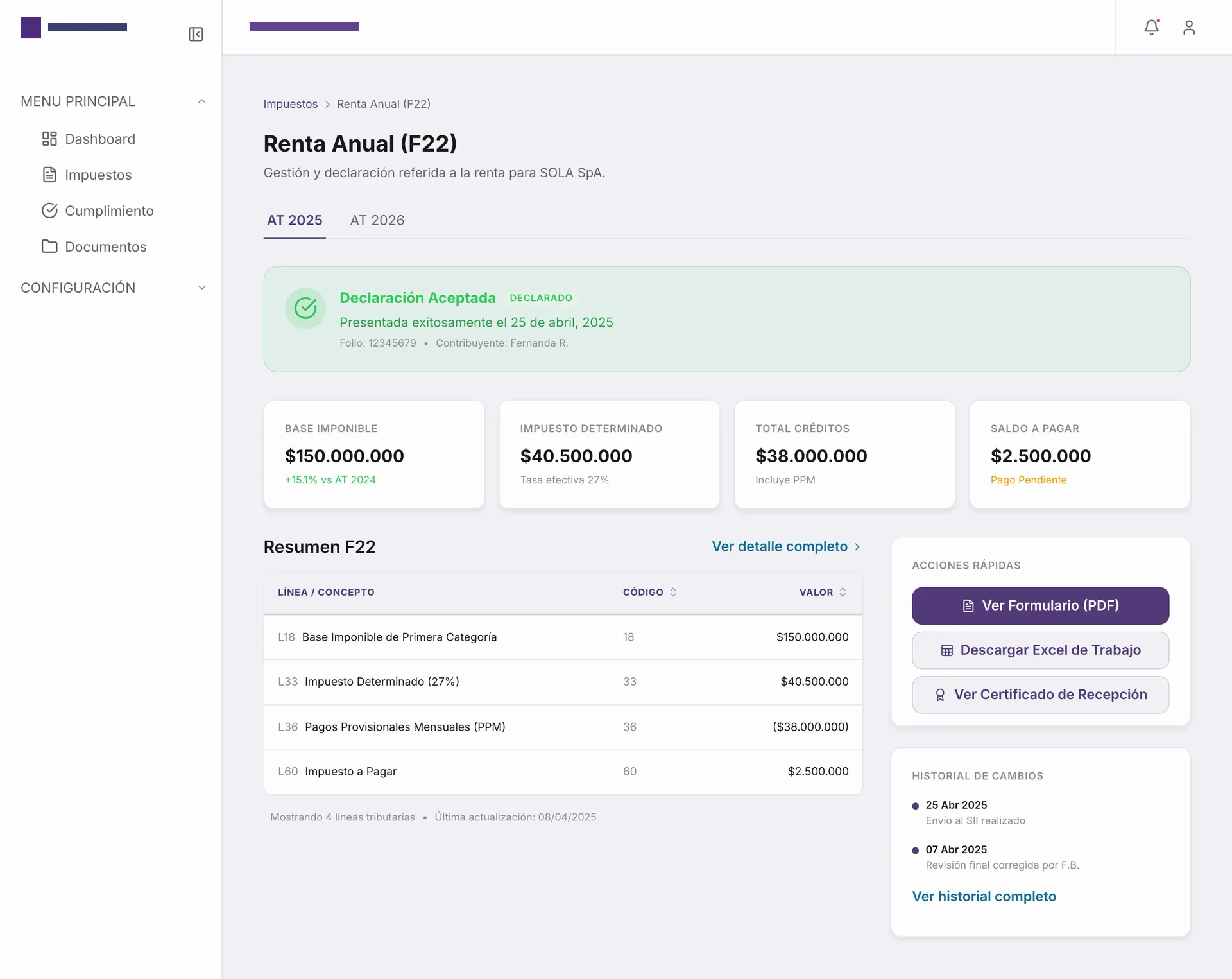
Annual income tax (F22)
The accepted filing, taxable base, determined tax and balance due, plus quick actions and the change history.
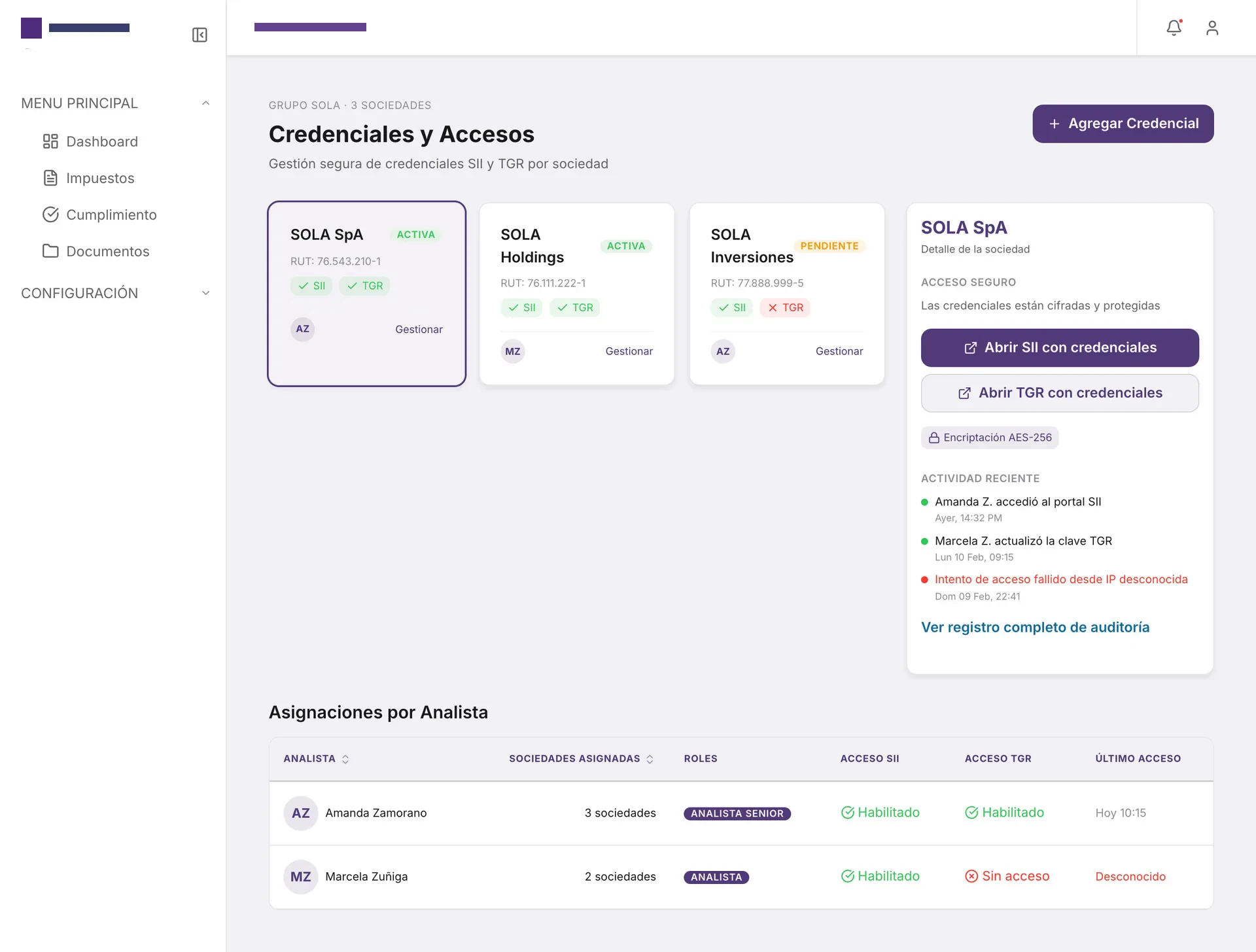
Credentials and access
SII and TGR credentials per company, encrypted, with an audit trail and permissions assigned per analyst.
Analyst view
The operational layer: the day-to-day of the analyst who files, reviews and responds to the SII for their assigned clients.
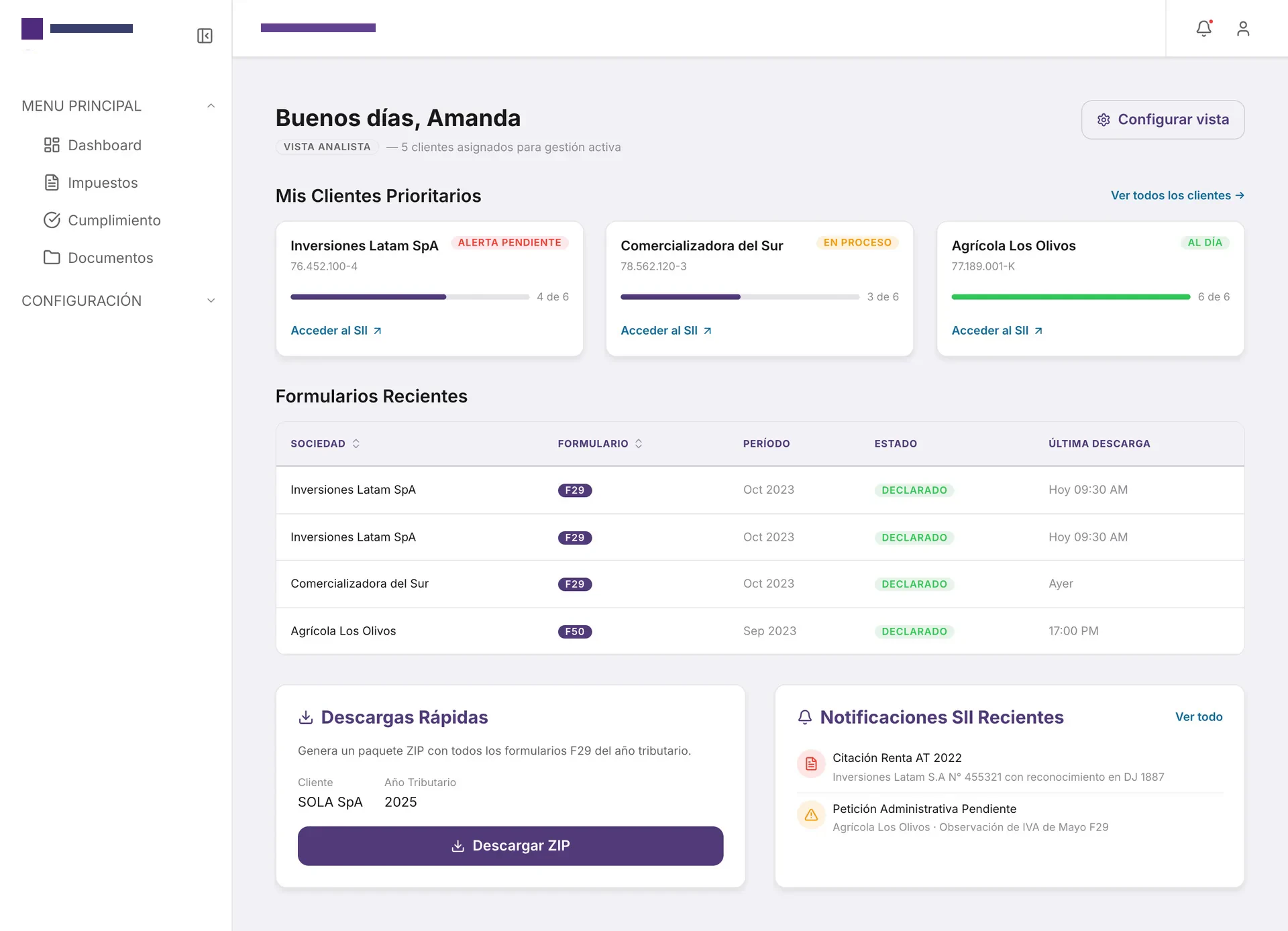
Operational dashboard
Priority clients with their filing progress, recent forms and a ZIP download of every F29 in the tax year.
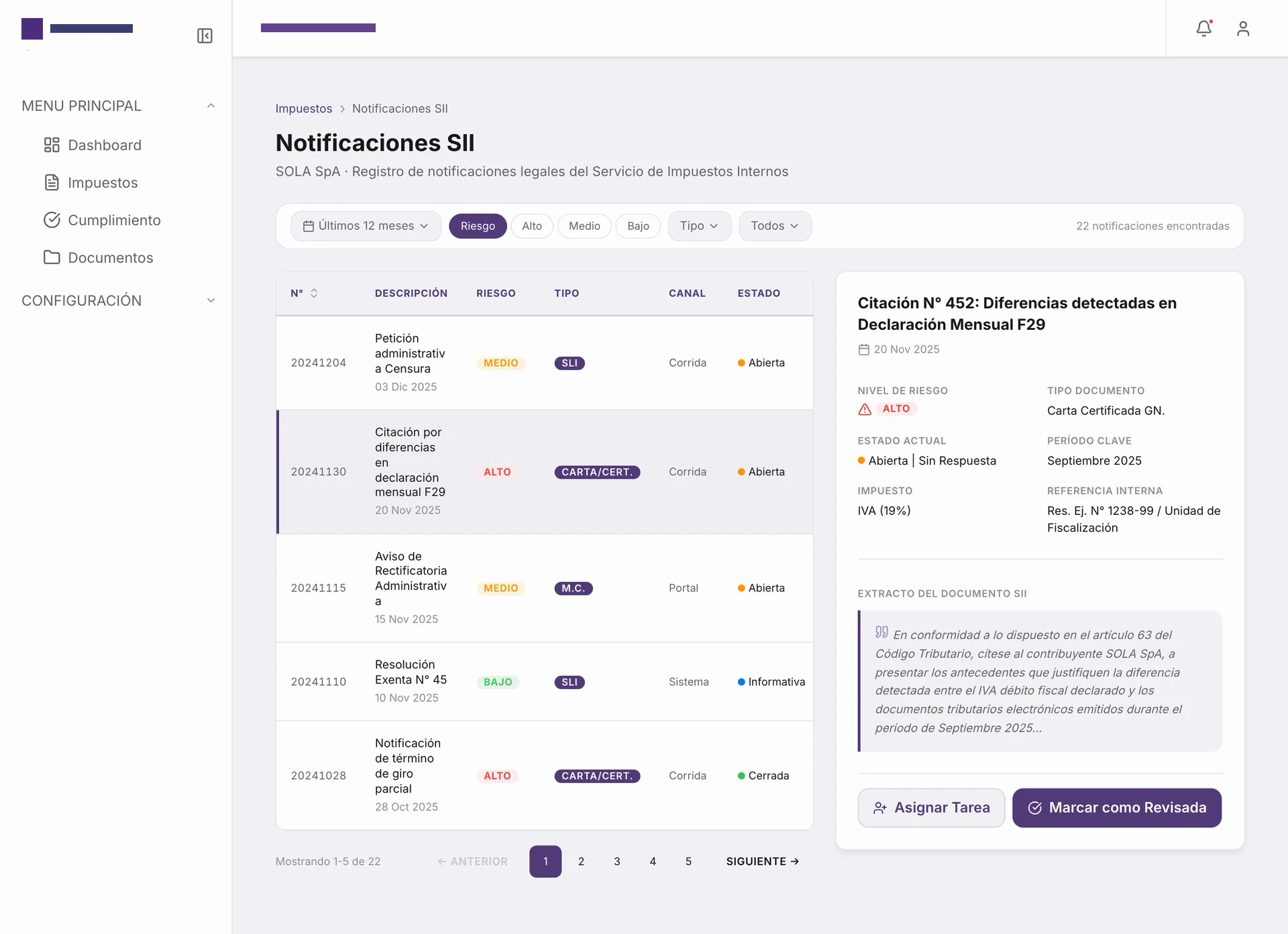
SII notifications
Every legal notice from the tax authority, filterable by risk, type and channel, with the detail always beside the list.
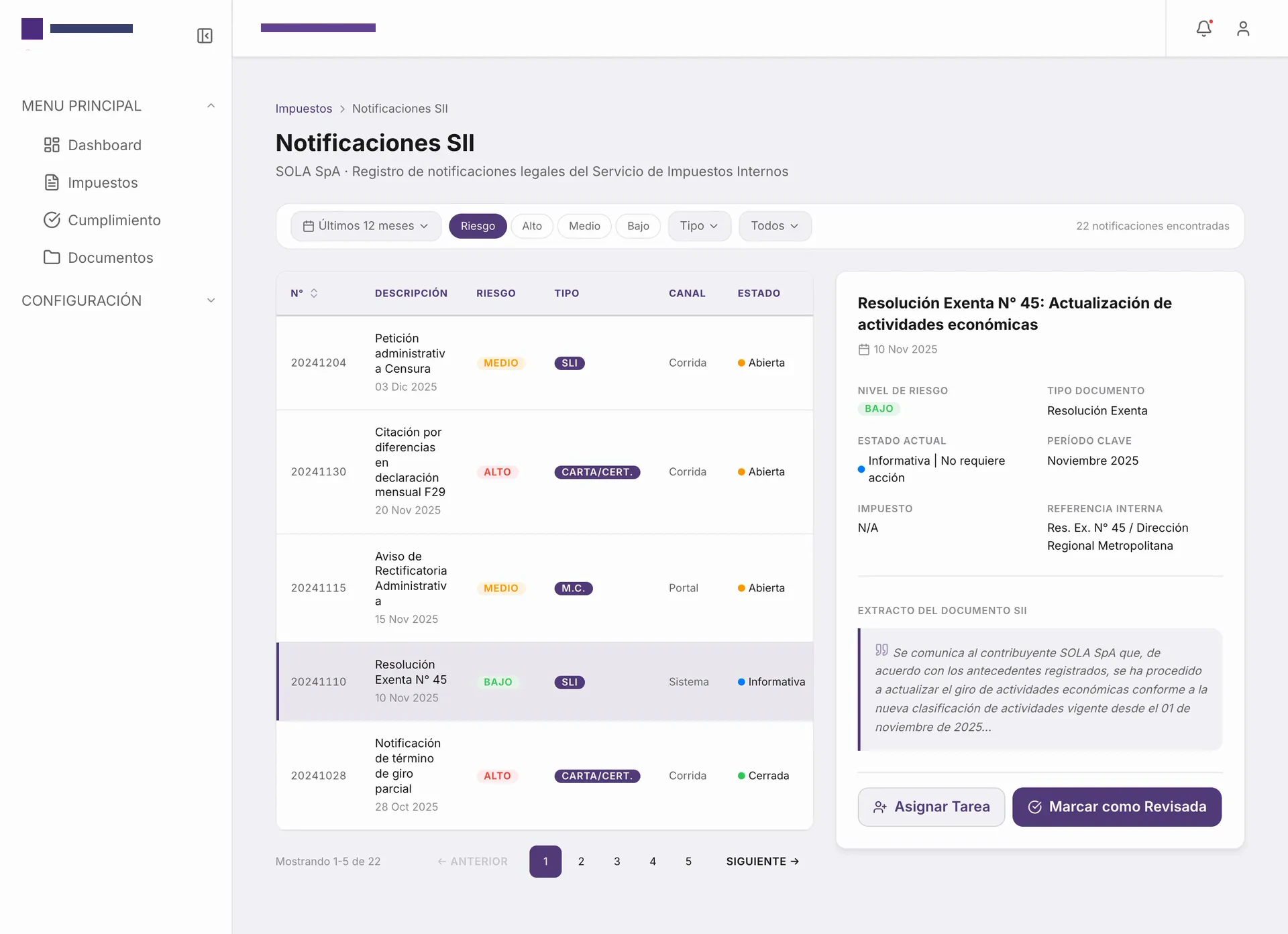
Notification detail
Risk level, tax, key period and an excerpt from the official document, so the analyst can assign a task or mark it reviewed.
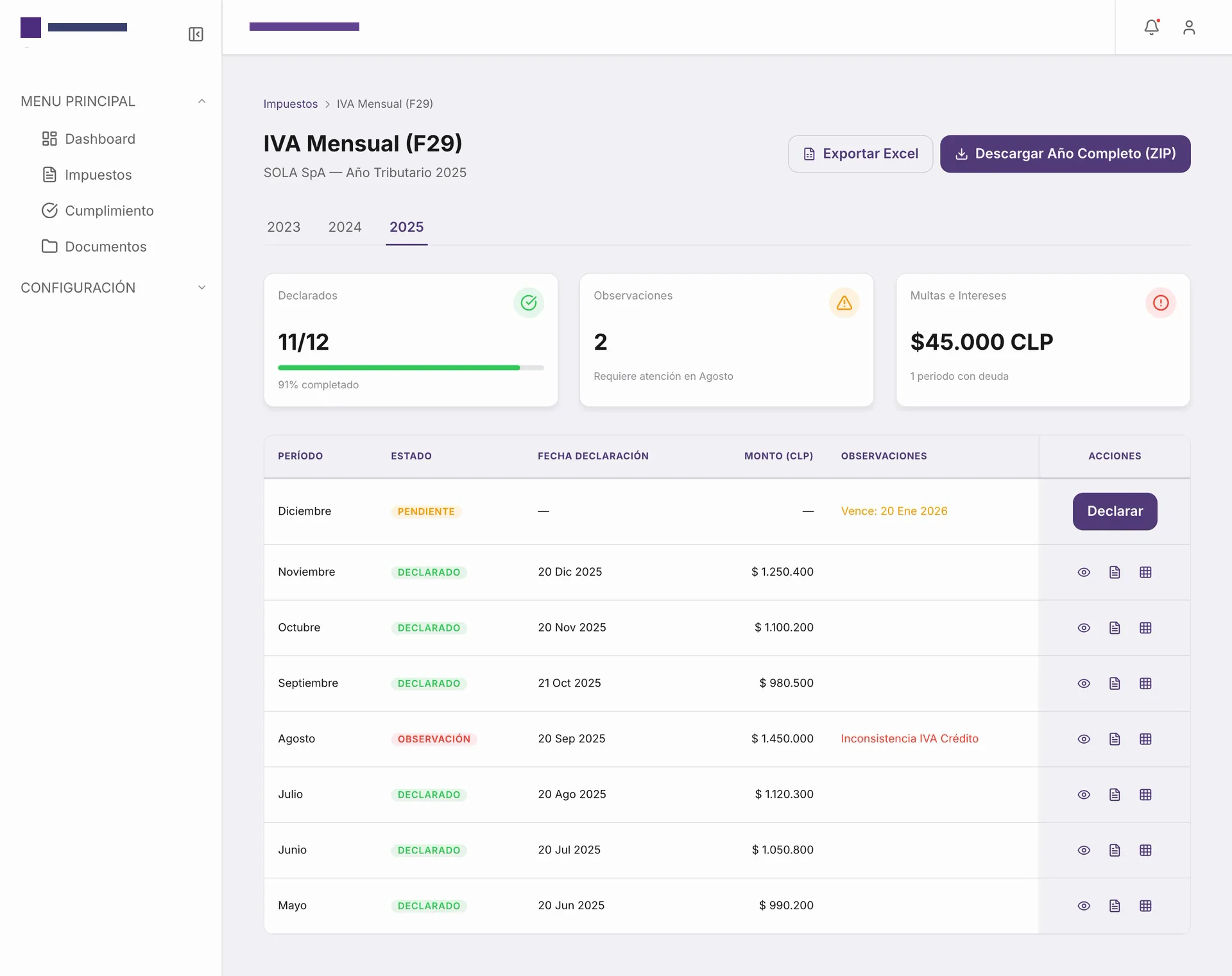
Monthly VAT (F29)
Progress for the year, observations and debt summarized above; below, each period with its status and actions.
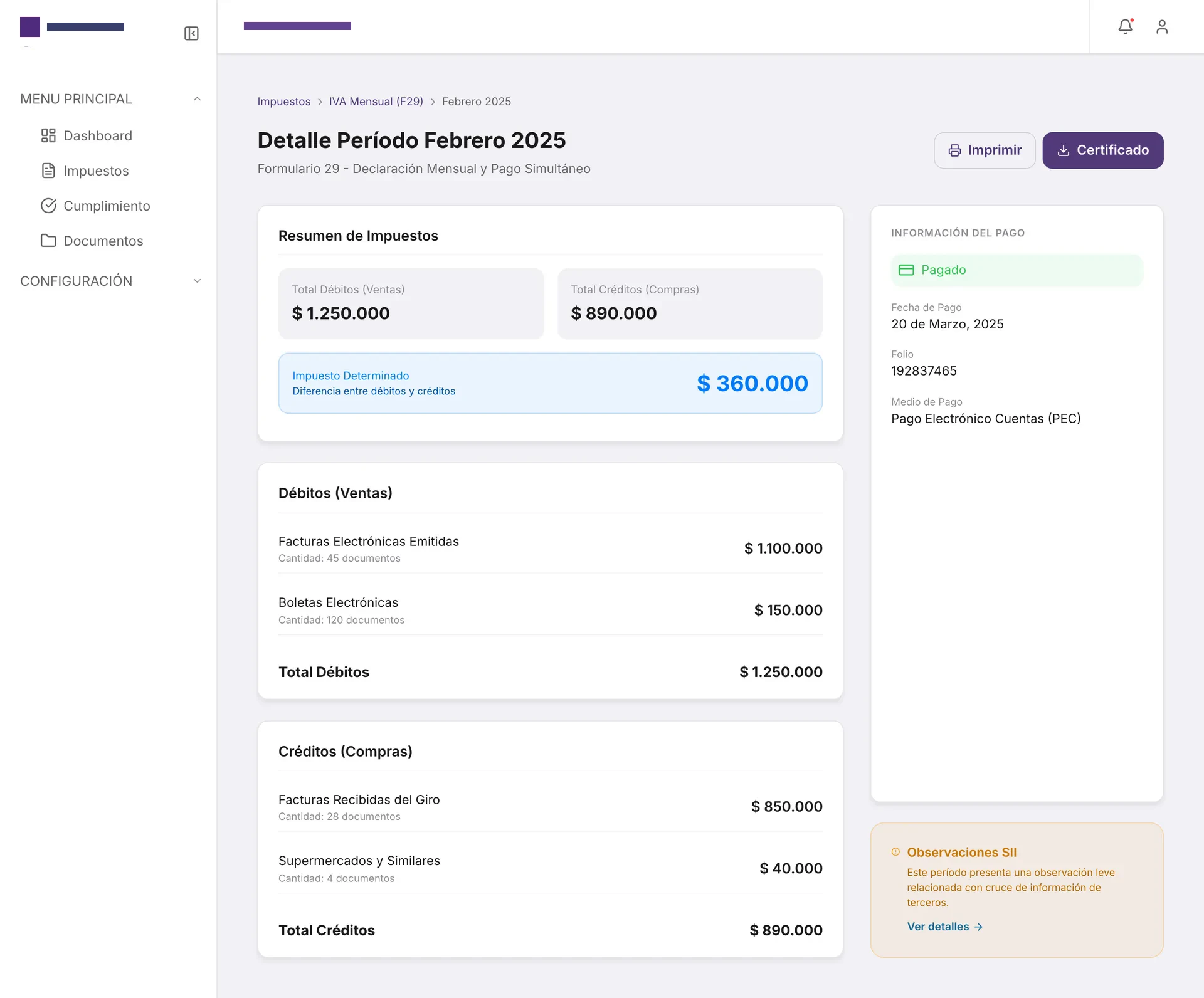
Period detail
Debits, credits and determined tax broken down by document, alongside the payment information and SII observations.
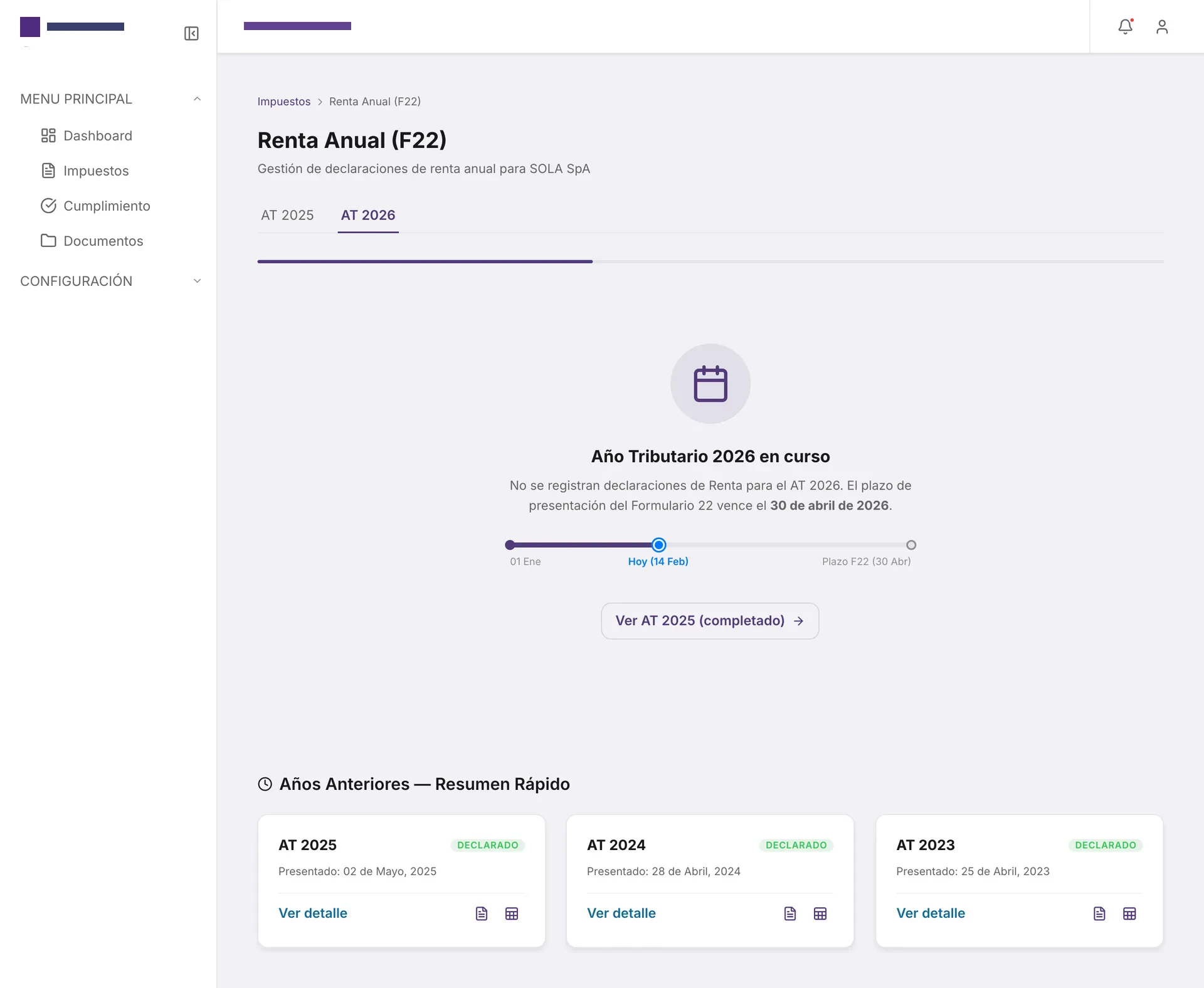
Tax year in progress
When there is nothing to file yet, the screen explains why and shows how far away the deadline is.
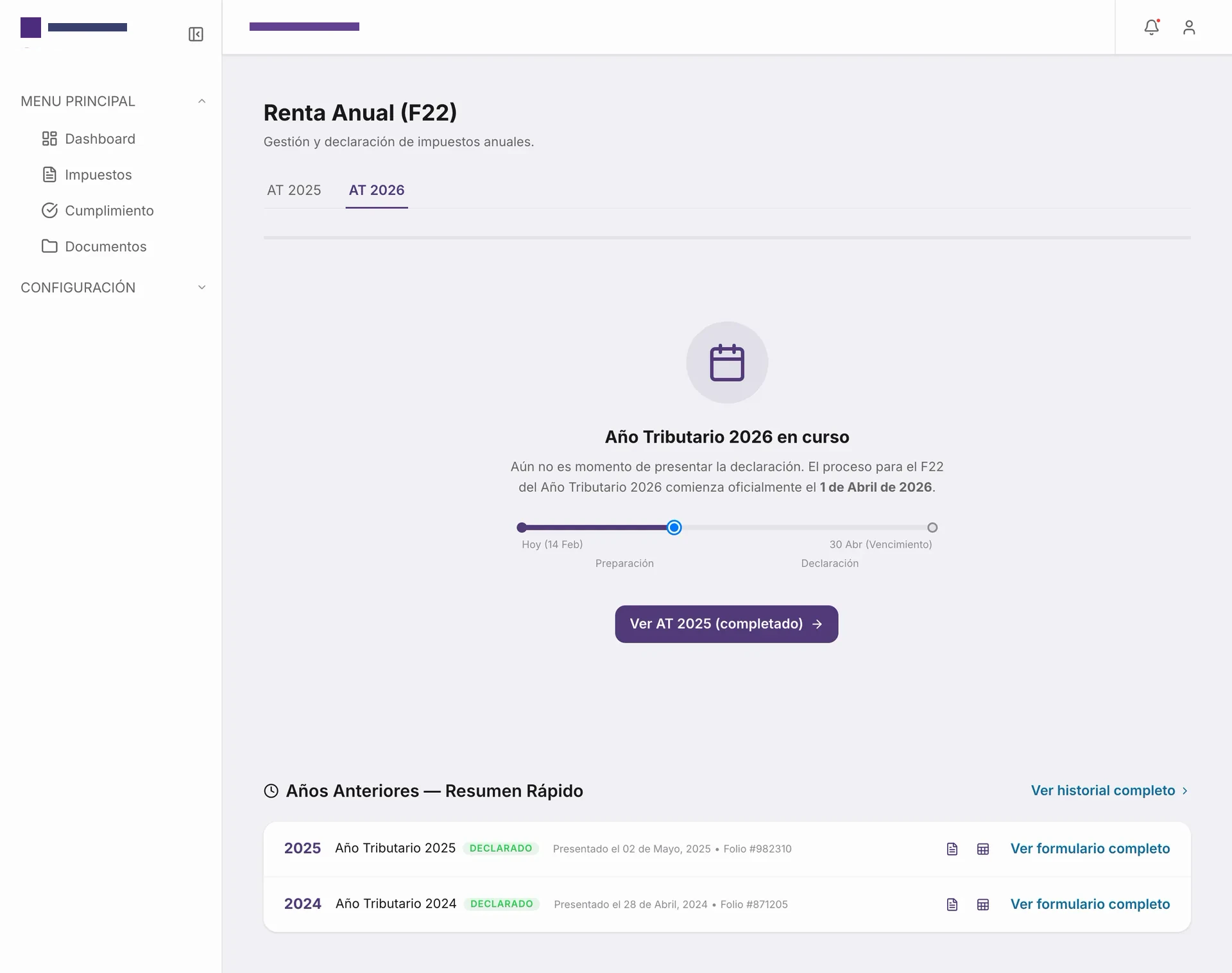
Previous years
An alternative to the empty state that separates preparation from filing and lists the history with direct access to each form.
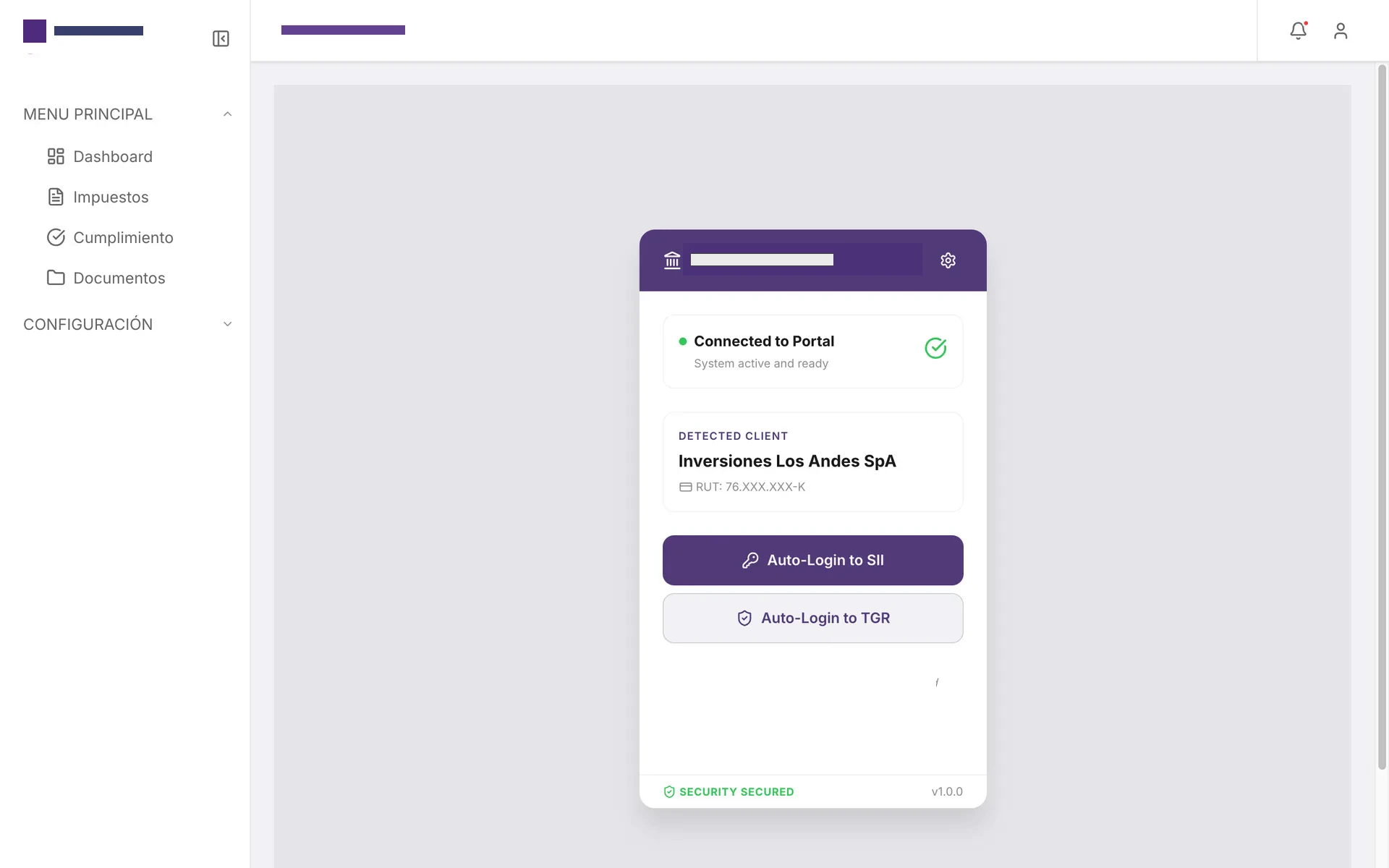
Companion extension
A browser extension that detects the client and logs into SII or TGR with encrypted credentials, with no passwords stored locally.
Corporate Tax Portal Design System
A professional, accessible, and adaptive component system based on native Apple HIG aesthetics, combining official an enterprise tax advisory firm brand colors with optimized guidelines for web applications and PDF/Mailing exports.
Color Tokens
Primary, secondary, and neutral system tokens built for contrast and consistency.
Primary brand color for main buttons (CTAs), active states, and key interactive elements across the platform.
Secondary accent color for text links, secondary buttons, active navigation, and supporting actions.
Warning notices, critical attention calls, and highlighting tax penalties.
General grouped background behind cards and portal elements to provide visual depth (iOS style).
Elevated card surfaces, data forms, and text inputs floating over the gray background.
Primary text with high readability on light screens.
Subtitles, secondary labels, disabled icons, and input borders.
Indicators for completed tax compliance without errors and successful processes.
Error states in validations and destructive system actions.
Typography Scale
Primary Typeface: Inter & SF Pro Text (Google Fonts / Apple Native) (Corporate Compliance and Accessibility)
UI Component States
Interactive primitives sharing token geometry, borders, and typographic rules.
Buttons
Form Inputs
Value Proposition
We engineered an interactive, atomic component library tailored for corporate compliance and legibility:
- Atomic Design Architecture: Structured components strictly into Atoms, Molecules, Organisms, and interactive demo Pages in Storybook.
- Adaptive Apple HIG Aesthetic: Floating cards on grouped backdrops (#F2F2F7), clean 16px corner radii, subtle shadows, and backdrop blur effects (glassmorphism).
- Specialized UI Export Modes: Dedicated Storybook configuration that discards border radii, drop shadows, and scale transforms to guarantee clean render outputs in PDFs and enterprise email clients.
- Embedded Access Control (RBAC): Built-in control components like 'PermissionGuard' and reactive authorization hooks to dynamically hide/show menu items and operations based on user privileges.
UX & Development Process
Mapping Financial Workflows
Interfaced with accountants and tax analysts to organize annual income, monthly sales tax, and supplementary tax filings into a logical information hierarchy.
Storybook Component Library
Developed and tested components (buttons, grids, inputs, OCR upload areas) with live controls in Storybook to guarantee consistent behavior and WCAG 2.1 AA accessibility.
Optimizing for Limited CSS Engines
Investigated and developed flat UI variations specifically adapted for the Python WeasyPrint engine and enterprise Outlook email rendering.
Role-Based Navigation and Skeletons
Designed dynamic menu states based on user roles and custom skeletons to reduce perceived wait times during complex report generation.
Results & Business Impact
Brand consistency across all three repositories using the shared package
Compliance in typographic contrast and interactive component accessibility
Layout issues when exporting to PDF (WeasyPrint) or sending emails
The Corporate Tax Portal Design System demonstrates that technical rigor in React/TS component architecture, combined with a premium Apple HIG native aesthetic, can elevate complex corporate utilities into highly efficient, secure, and user-friendly web portals.
Similar challenge?
Have complex software that needs clarity?
Let's talk directly—I'll tell you what makes sense to tackle first.